Disclosure: some links in this guide are affiliate links, so I may earn a commission if you buy through them, at no extra cost to you. Last updated: September 2026.
A digital product is one of the few things you can sell where the hundredth sale costs you almost nothing more than the first. No stock, no shipping, no inventory sitting in a spare room. That’s why every “digital product ideas” list online is 100 items long. The trouble is, most of those lists are written by platforms that want you to sign up, so they skip the parts that decide whether you make money: how long each product takes to build, what you actually keep per sale, and whether anyone is searching for it.
This guide covers 15 digital product ideas that sell, with honest build times, price tiers, where each one sells best, the catch nobody mentions, and a platform-by-platform look at what you keep from a $15 sale.
Key Takeaways
- Templates and printables are the fastest to build, often a weekend, but sell at low prices, so they need volume.
- Courses, memberships and business templates earn the most per sale, and take the longest to build and support.
- Fees differ less than you’d think: on a $15 sale you keep roughly $13 to $14.30 on Etsy, Gumroad, Payhip or Shopify. Traffic matters far more.
- Check demand before you build. Search results, reviews and real questions tell you more than any “trending” list.
- Start with one small product and aim for your first 10 paying customers before building the next one.
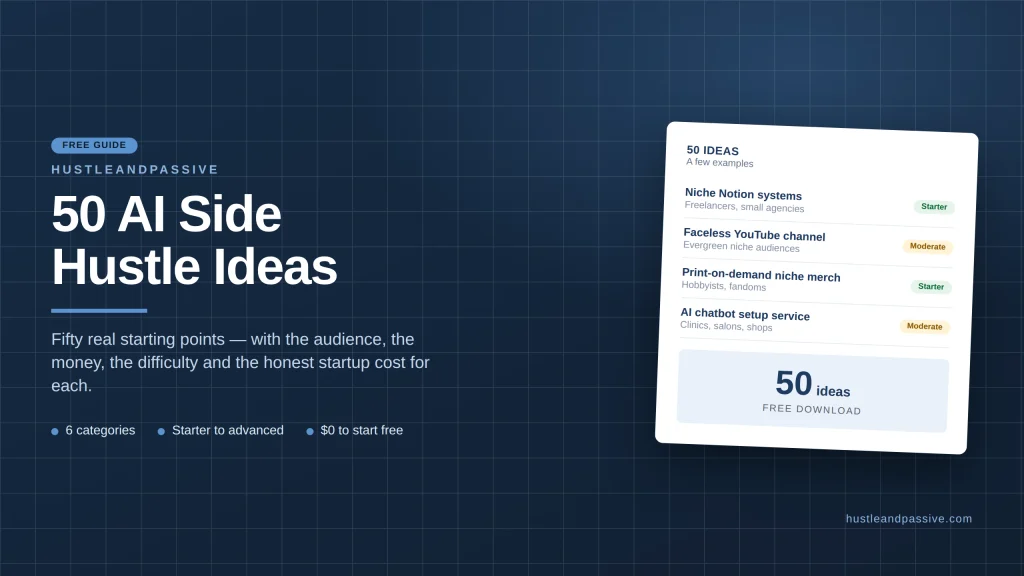
Not sure which kind of product suits you yet? The free 50 AI Side Hustle Ideas list includes product-based ideas you can compare.
What Is a Digital Product? (With Examples)
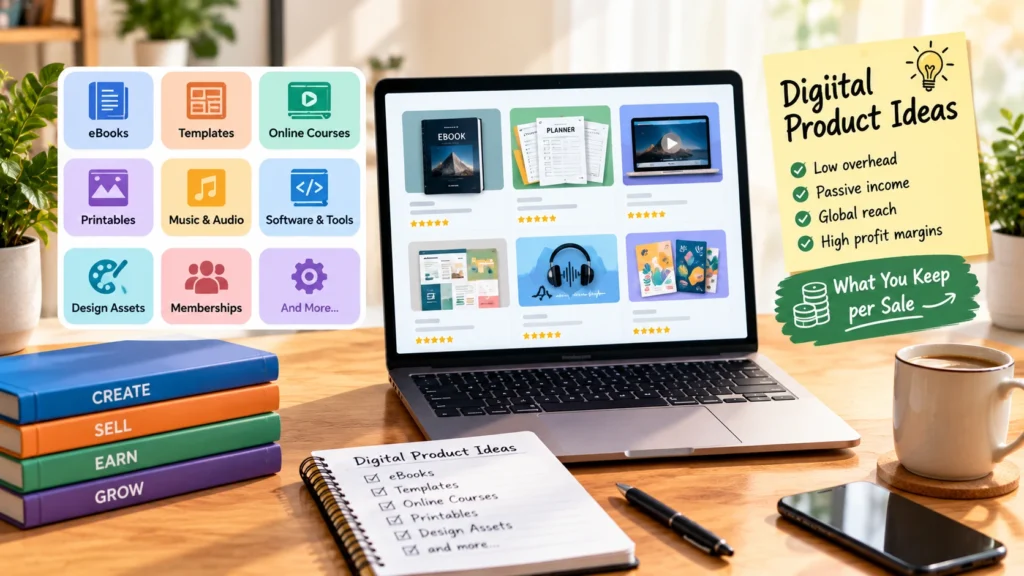
A digital product is anything a customer buys and receives as a file, a link or access to online content, with nothing physical shipped. Common digital products examples include printable planners, Canva and Notion templates, spreadsheets, ebooks, online courses, Lightroom presets, fonts, stock photos, sewing patterns, music loops and paid memberships. You create it once, and the platform delivers it automatically every time someone buys. The digital products examples below are grouped by type.
15 Digital Product Ideas at a Glance
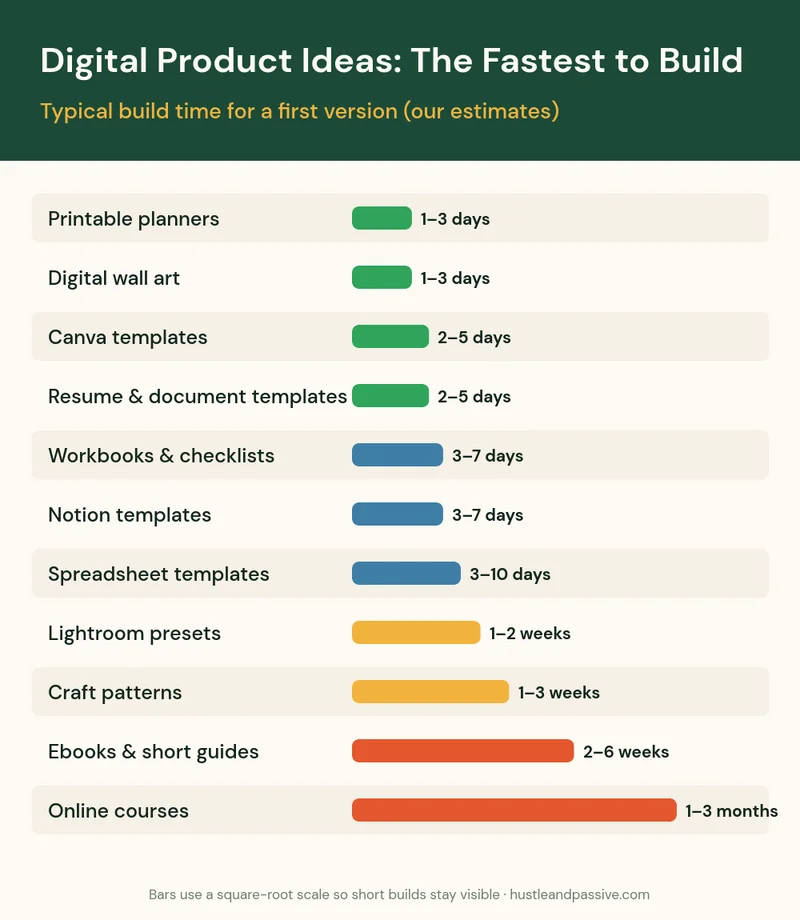
Here are the 15 digital product ideas compared side by side. Build times are our estimates for a first version made by one person. Price tiers: low is under $30, mid is $30 to $150, and high is above $150. Support load means how many customer questions and updates you should expect.
| Idea | Build time | Price tier | Best place to sell | Support load |
|---|---|---|---|---|
| 1. Printable planners and trackers | 1–3 days | Low | Etsy | Low |
| 2. Canva templates | 2–5 days | Low to mid | Etsy, Gumroad | Low |
| 3. Spreadsheet templates | 3–10 days | Low to mid | Gumroad, Etsy | Medium |
| 4. Notion templates | 3–7 days | Low to mid | Gumroad, Notion’s template gallery | Medium |
| 5. Resume and business document templates | 2–5 days | Low | Etsy | Low |
| 6. Ebooks and short guides | 2–6 weeks | Low | Gumroad, Amazon KDP | Low |
| 7. Workbooks and checklists | 3–7 days | Low | Etsy, your own site | Low |
| 8. Online courses | 1–3 months | Mid to high | Your own site, course platforms | High |
| 9. Digital wall art | 1–3 days per set | Low | Etsy | Low |
| 10. Sewing, knitting and craft patterns | 1–3 weeks | Low | Etsy | Medium |
| 11. Lightroom presets | 1–2 weeks | Low | Etsy, Gumroad | Low |
| 12. Design assets (fonts, icons, graphics) | 1–4 weeks | Low to mid | Creative marketplaces, Etsy | Low |
| 13. Stock photos and video clips | Ongoing | Low per download | Stock sites | Low |
| 14. Audio products (loops, sound effects, guided audio) | 1–4 weeks | Low to mid | Gumroad, marketplaces | Low |
| 15. Paid community or membership | Ongoing | Mid, recurring | Community platforms | High |
Templates and Printables: The Fastest Digital Product Ideas to Launch
1. Printable Planners and Trackers
Budget sheets, meal planners, habit trackers and wedding planners that buyers print at home. They’re the classic first digital product because you can make a decent one in a weekend in Canva or a design tool.
- Sell on: Etsy, where buyers already search for “printable planner.”
- The catch: it’s one of the most crowded categories on Etsy. A generic “2027 planner” competes with thousands; a “planner for night-shift nurses” competes with far fewer.
2. Canva Templates
Social media post packs, pitch decks, media kits and lead magnet templates, delivered as a link that opens a copy in the buyer’s Canva account. Small businesses buy them to look professional without hiring a designer.
- Sell on: Etsy or Gumroad.
- The catch: Canva’s license rules decide what you’re allowed to sell, so read them before you list. Our guide to selling Canva templates walks through the licensing and setup.
3. Spreadsheet Templates
Budget trackers, small business bookkeeping sheets, content calendars and decision tools in Google Sheets or Excel. They sell for a little more than printables because they do work for the buyer, like calculating totals or scoring options.
- Sell on: Gumroad or Etsy.
- The catch: formulas break when buyers edit the wrong cell, so expect a few support emails. Lock the formula cells and include a one-page instruction sheet. (Our own product is a spreadsheet tool; more on that below.)
4. Notion Templates
Workspace setups for freelancers, students, content creators and small teams. Buyers pay to skip hours of setup.
- Sell on: Gumroad, or list it in Notion’s own template gallery for extra visibility.
- The catch: Notion updates its features regularly, so plan to refresh your template now and then.
5. Resume and Business Document Templates
Resume layouts, invoice templates, proposal templates and contracts formatted for Word or Google Docs. Job seekers and new freelancers buy them at the exact moment they need them.
- Sell on: Etsy.
- The catch: never sell legal documents like contracts as “legally binding” unless a lawyer has written or reviewed them. Label them as starting templates.
Knowledge Products: Digital Product Ideas That Sell What You Know
6. Ebooks and Short Guides
A focused 30 to 80 page guide that solves one problem, like “meal prep for shift workers” or “your first 30 days as a freelance bookkeeper.” Short and specific beats long and general.
- Sell on: Gumroad or Payhip for PDFs, or Amazon Kindle Direct Publishing if you want Amazon’s buyers.
- The catch: low prices mean you need steady traffic. Ebooks work best as the first step toward a bigger product.
7. Workbooks and Checklists
Fill-in workbooks, step-by-step checklists and cheat sheets. They’re also the best free lead magnets: give one away to build an email list, then sell a paid product to that list.
- Sell on: Etsy, or your own site as a free download in exchange for an email.
- The catch: on their own they sell cheaply. Their real value is often as a free first step.
8. Online Courses
Video or text lessons that take a student from problem to result. Courses earn the most per sale of any product on this list, which is why every course platform’s blog tells you to make one.
- Sell on: your own site or a course platform. If you want lessons and a student community in one place, Skool combines both.
- The catch: they take the longest to build, and they sell best to an audience that already trusts you. Launching a course to nobody rarely works; build the audience with smaller products first.
Stop Losing Audiences After Week One
Course content + community discussion = one powerful platform. Skool unifies your teaching and your tribe, making it easier than ever to retain students and build a loyal, paying audience.
Creative Assets: Digital Product Ideas for Makers and Designers
9. Digital Wall Art
Printable posters, quotes, botanical prints and kids’ room art in standard frame sizes. Buyers print locally and save on shipping.
- Sell on: Etsy.
- The catch: heavy competition. Sets sell better than single prints, and a clear style sells better than a bit of everything. A graphics drawing tablet makes hand-drawn art much faster than a mouse.
10. Sewing, Knitting and Craft Patterns
PDF patterns with measurements, steps and photos. If you already make things, a pattern turns your skill into a product you sell again and again, instead of one item at a time.
- Sell on: Etsy.
- The catch: test every pattern before selling it. One wrong measurement brings refund requests and bad reviews.
11. Lightroom Presets
One-click photo edits for a consistent look, sold in themed packs (moody, bright, film, wedding). Photographers and social media users buy them to save editing time.
- Sell on: Etsy or Gumroad.
- The catch: your preview images do all the selling, so show before-and-after photos across different lighting.
12. Design Assets: Fonts, Icons and Graphics
Icon sets, illustration packs, textures, fonts and mockup templates for other designers and small businesses.
- Sell on: creative marketplaces and Etsy.
- The catch: licensing questions come with the territory. Spell out personal versus commercial use clearly on every listing.
13. Stock Photos and Video Clips
Photos and short clips licensed to businesses, bloggers and video creators through stock sites.
- Sell on: stock marketplaces such as Adobe Stock or Shutterstock.
- The catch: you earn per download, often a small amount, so meaningful income needs a large library built over time.
Audio and Video Products
14. Audio Products: Loops, Sound Effects and Guided Audio
Music loops and sample packs for producers, sound effect libraries for video creators, and guided audio like meditations, language drills or bedtime stories. If you’d rather not record narration yourself, an AI voice tool like ElevenLabs can produce it, as long as you disclose AI voice use where a platform requires it.
- Sell on: Gumroad or audio marketplaces.
- The catch: sample packs must be royalty-free and cleared; anything built on someone else’s recording is a copyright problem.
Memberships and Communities
15. Paid Community or Membership
Members pay monthly for ongoing content, templates, feedback or access to a group. It’s the only product here with built-in recurring revenue.
- Sell on: a community platform like Skool.
- The catch: it’s never finished. Members expect something new every week, so start one only if you can keep showing up.
Which Digital Products Are the Most Profitable?
The most profitable digital products are the ones where price, volume and support load work in your favor, not simply the most expensive ones. Here’s how the three trade off:
- Highest price per sale: online courses, memberships and business-grade templates. Fewer sales needed, but more build time and support.
- Highest volume potential: printables, Canva templates and wall art on Etsy, where buyers already search. Low prices, so you need many listings and steady sales.
- Best balance for most beginners: spreadsheet, Notion and business templates. They’re quick to build, can sell for more than printables because they save the buyer real time, and they need little support once the instructions are clear.
Whatever you choose, the margin is high: once a product is built, most of each sale is yours after platform fees. That makes traffic, not fees, the thing that decides your income, so the most profitable digital products for you are the ones you can reliably bring buyers to.
What You Keep From a $15 Sale on Each Platform
Fees vary less than platform blogs suggest. Here’s what you keep from a single $15 digital sale, based on each platform’s own pricing page as of September 2026:
| Platform | Monthly cost | Fees on a $15 sale | You keep |
|---|---|---|---|
| Etsy (US seller) | $0 | $0.20 listing + 6.5% transaction + 3% + $0.25 processing | About $13.13 |
| Gumroad (direct sale) | $0 | 10% + $0.50 | $13.00 |
| Payhip (free plan) | $0 | 5%, plus Stripe or PayPal processing | About $14.25 before processing |
| Shopify Basic | $29–$39 | 2.9% + 30¢ online card rate | About $14.27, before the monthly fee |
Sources: Etsy fees and Etsy Payments policy, Gumroad pricing, Payhip pricing and Shopify pricing.
The real difference is traffic. Etsy brings buyers who are already searching, which is why most people should start there. Gumroad and Payhip are simpler and cheaper to run, but you bring every buyer yourself. Your own store makes sense once you have steady sales: Shopify handles digital downloads and checkout, or you can sell from your own WordPress site on a host like Hostinger. Either way you keep more per sale and own the customer list.
Host Your Own Storefront for Under $2.99/Month
Skip the marketplace cut entirely. Hostinger runs everything from landing pages to checkout, fast enough to handle a launch spike without falling over.
Sell Digital Products While You Sleep
Don’t let a clunky checkout process kill your sales. Shopify makes it incredibly easy to sell digital downloads, manage inventory, and get paid whether you are awake or asleep.
Digital Products to Sell on Etsy: What’s Allowed and What Sells
Etsy allows digital downloads that you designed yourself, which covers most of the templates, printables, patterns, presets and art on this list. Under Etsy’s creativity standards, items created with AI tools from your own prompts can be listed as “designed by” you, but you must disclose AI use in the listing, and AI prompt bundles on their own can’t be listed that way.
The digital products to sell on Etsy that tend to do best are the ones buyers search for by name and need right now: planners, wedding and party printables, templates for small businesses, and wall art in a clear style. Before you pick one, search it on Etsy and look at how many reviews the top listings have; that’s a rough sign of real sales. Our guide to the best products to sell on Etsy breaks down the fees on a real order, and if you use AI in your process, see where to sell AI-generated products.
How to Check Demand Before You Build
Most digital product ideas fail on demand, not quality, so spend an evening on this before you spend a month building. Four quick checks:
- Search the marketplace. Type your idea into Etsy and Gumroad’s search. No results can mean no demand; results with lots of reviews mean demand and competition.
- Check search volume. A keyword tool like Keysearch shows how many people search for terms like “budget spreadsheet template” each month, and how hard they are to rank for.
- Read real questions. Look for the same question asked again and again on Reddit, forums or Facebook groups. A product that answers a repeated question sells more easily.
- Pre-sell or give a free version first. Offer a small free version to build an email list, then see how many people ask for more. A free CRM and email tool like HubSpot is enough to start collecting those emails.
Find Keywords That Actually Rank
Stop guessing what to write. KeySearch helps you discover low-competition keywords, analyze competitors, and create SEO content that drives long-term organic traffic.
Own Your Audience. Build Your List
Social media algorithms can change tomorrow. Your email list is yours forever. HubSpot gives you the tools to capture leads, automate sequences, and turn subscribers into buyers without needing a tech degree.
A Real Example: How We Built Our Own Digital Product
This site sells one digital product of its own, so here’s exactly how it’s put together, as a working example rather than a success story.
- The free product: the 50 AI Side Hustle Ideas list, a free download on Gumroad. It helps readers compare ideas and introduces them to the paid product.
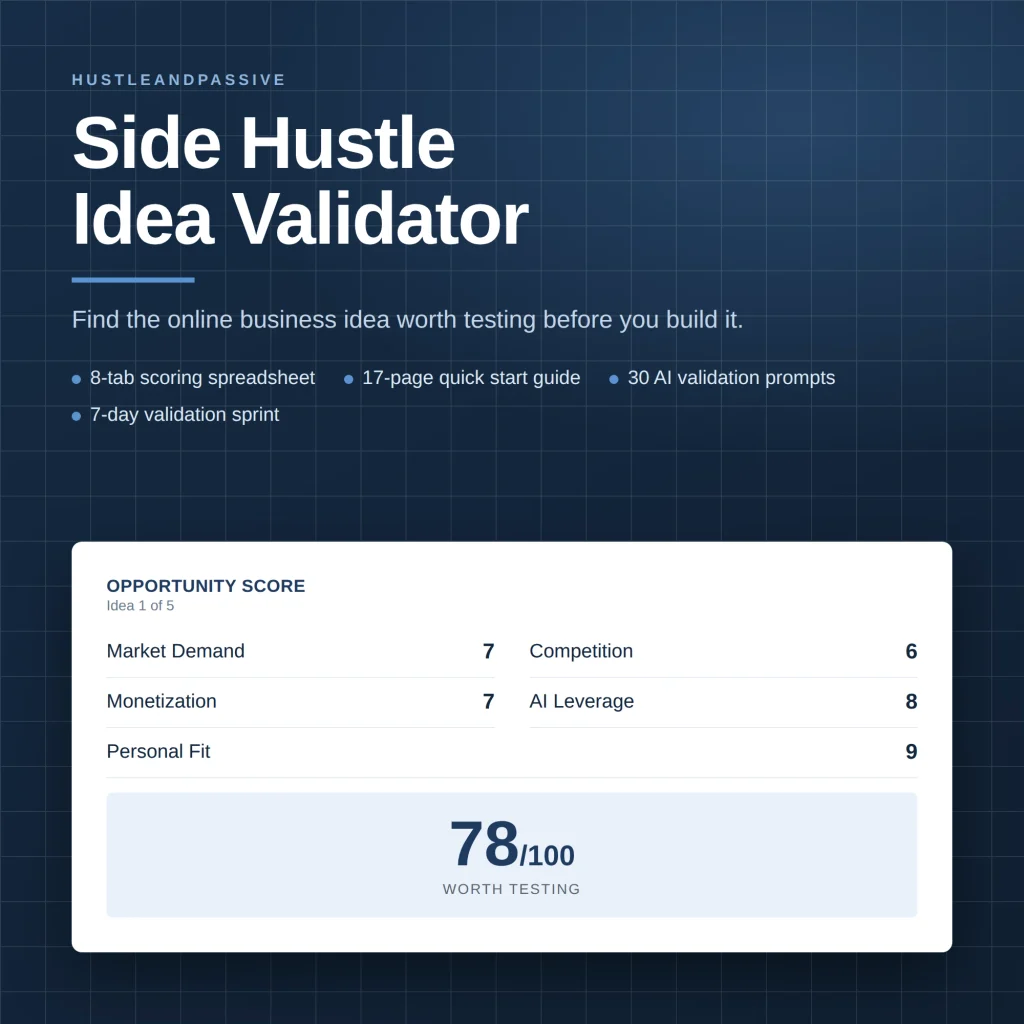
- The paid product: the Side Hustle Idea Validator, a Google Sheets and Excel tool with 8 tabs. It scores an idea out of 100 on eight weighted criteria, from market demand and monetization to competition and startup cost, and comes with a quick-start PDF, 30 AI prompts and a 7-day validation sprint.
- The price: a $9 launch price on Gumroad, chosen to be an easy yes for a first product.
- The rule: no second paid product until the first one reaches 10 paying customers and gets improved from their feedback.
That’s the pattern this guide recommends: one free product, one small paid product that solves a specific problem, and proof from real buyers before building more. It also shows why spreadsheet templates are on this list: they’re quick to build, useful and easy to explain.
Mistakes That Sink Most Digital Products
- Building for months before checking demand. Do the four checks above first.
- Making it for everyone. “Budget planner” loses to “budget planner for freelancers with irregular income.”
- Weak previews. Buyers can’t touch a digital product, so your mockups and screenshots are the product page.
- No email list. Marketplace buyers belong to the marketplace. Collect emails so you can reach buyers again.
- Ignoring licenses. Fonts, images, templates and AI outputs all come with rules on commercial use.
For more ideas built with AI tools, see our list of AI digital products, and for passive income more broadly, our guide to understanding passive income.
Digital Product Ideas FAQ
What are the best digital product ideas for beginners?
Printable planners, Canva templates, spreadsheet templates and checklists are the best starting points: they take days rather than months to build, cost little or nothing to make, and sell on Etsy where buyers are already searching.
What are the most profitable digital products?
Online courses and memberships earn the most per sale, and memberships add recurring revenue, but both take the longest to build and support. For most beginners, business-focused templates offer the best balance of build time, price and support.
What are some examples of digital products?
Common examples include printable planners, Canva and Notion templates, spreadsheets, ebooks, online courses, Lightroom presets, fonts and graphics, stock photos, sewing patterns, music loops and paid memberships.
Can I sell AI-made digital products on Etsy?
Yes, if you created them from your own prompts. Etsy’s creativity standards treat them as “designed by” you, but you must disclose AI use in the listing, and AI prompt bundles on their own can’t be listed that way.
Where should I sell my first digital product?
Etsy is the best starting point for most people because buyers are already searching there. Gumroad or Payhip are simpler if you’ll bring your own traffic from social media or an email list.
The Side Hustle Idea Validator ($9) scores each idea on demand, competition, startup cost and personal fit, so you build the one with the best odds first.

Writes and tests every guide on hustle&passive. Everything here is something we have actually run — including the parts that did not work.