Disclosure: a few links in this guide are affiliate links, so I may earn a commission if you buy through them, at no extra cost to you. The two Gumroad products mentioned are my own.
Creators, small business owners and coaches buy Canva templates because they want a professional design they can customize in minutes. That demand is real, and so is the competition: thousands of sellers list similar templates, so the ones that sell are built for a specific buyer rather than uploaded because they look nice. Templates are also one of the easiest Canva digital products to start with, alongside planners, printables and social media kits.
This guide on how to sell Canva templates in 2026 walks through what actually matters: which Canva templates to sell, where to sell them, how to price them, and how to get them in front of buyers. If you’re also exploring AI tools to speed up the design process, this guide on using AI for digital product creation is a good next stop.
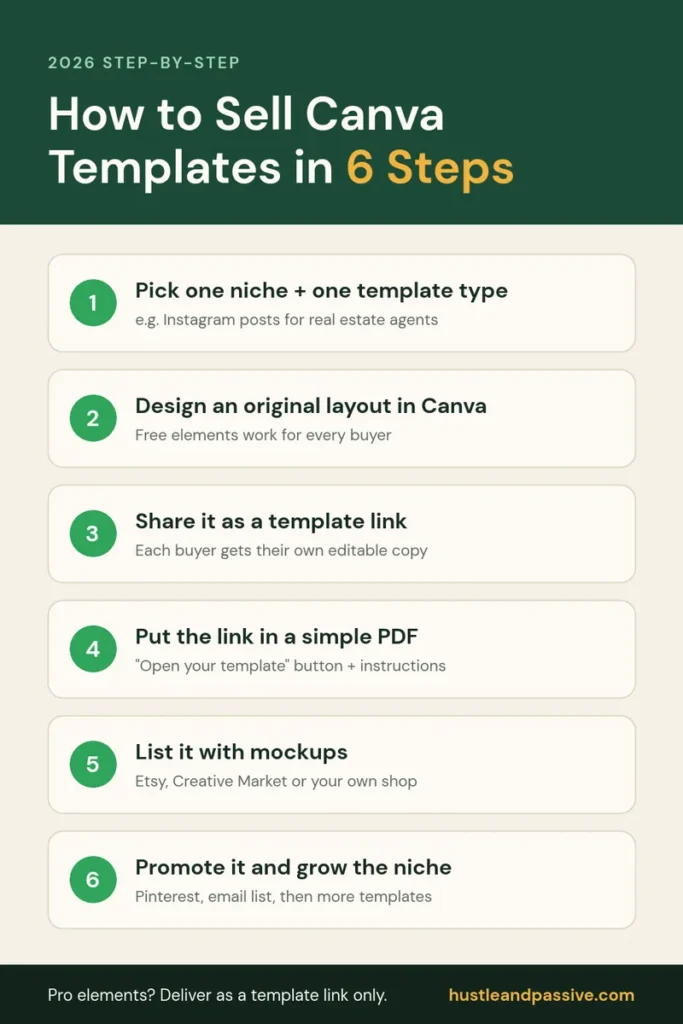
How to Sell Canva Templates: Quick Steps
Here is how to sell Canva templates in six steps. The sections below cover each one in more detail. (Still deciding whether templates are the right product for you? Compare them with 14 other digital product ideas first.)
- Pick one niche and one template type, such as Instagram post packs for real estate agents or a lesson-plan template for teachers.
- Design your own layout in Canva. Use free elements, or Pro elements only if you will deliver the design as a template link (see the licensing rules below).
- Share it as a template link using Canva’s “Template link” share option, so every buyer gets their own editable copy instead of access to your original.
- Put the link in a simple PDF with a “click here to open your template” button and short instructions. That PDF is the file buyers download.
- List it for sale on Etsy, Creative Market, or your own shop, with mockup images that show the template in use.
- Promote it on Pinterest and to your email list, then add more templates in the same niche as the first ones start selling.
Canva’s Licensing Rules for Selling Templates
Yes, Canva allows you to sell templates you design in it, but only within its license, so this is the part of learning how to sell Canva templates you can’t skip. According to Canva’s help center on creating products for sale, the key rules are:
- Your template must be an original design that combines several elements and is meant to be edited or customized by the buyer.
- Pro elements are only allowed in templates shared as Canva template links. You can’t sell a template that contains Pro content as a PDF, PNG or other downloadable file.
- You can’t sell Canva’s stock content on its own, for example a Canva photo or illustration printed on a t-shirt, or clipart made from Canva elements for use outside Canva.
- Canva for Education accounts: Canva says education users may only use Pro content for educational, non-commercial purposes. To sell designs, set up a separate team in your account for that commercial work.
If your buyers use a free Canva plan, stick to free elements where you can. Templates built only from free elements work for everyone, while Pro elements may ask free users to upgrade before they can use them.
1. Canva Templates to Sell: What Actually Sells (And What Usually Doesn’t)
Not every template category performs the same way. A few patterns hold up consistently across template marketplaces:
- Business templates (proposals, invoices, presentations, social media content calendars) tend to sell to a broader, recurring audience than one-off event templates, simply because businesses need them repeatedly.
- Digital planners and organizers (budget planners, habit trackers, project trackers) sell well year-round, with a predictable spike every December/January as people plan for the new year.
- Niche social media bundles (Instagram story templates, Pinterest pin templates) do well when they’re built for a specific audience, such as wellness coaches, real estate agents or online educators, rather than generic.
- Educational materials (workbooks, course templates) can support a higher price point than a single-use template, since buyers see them as a toolkit rather than a one-off.
What tends to underperform: templates for very narrow audiences with little search volume, templates aimed at professional designers (who usually build their own), templates tied to a short seasonal window, and anything that requires advanced Canva skills to customize – that combination drives refund requests and poor reviews more than sales.
Before investing hours in a full collection, it’s worth validating the idea first:
- Search for similar templates on Etsy, Creative Market, and the Canva Marketplace.
- Check review counts on comparable listings – a rough proxy for sales volume.
- Read the negative reviews on competing templates to spot gaps you could fill.
- Check Google Trends for whether interest in that template type is stable, seasonal, or declining.
- Check how many people search for the template type each month (for example “budget planner template”) with a keyword tool such as Keysearch. Google Trends shows the direction; a keyword tool shows the size.
- Ship a simplified, low-priced version first and see if it gets traction before building out a full collection.
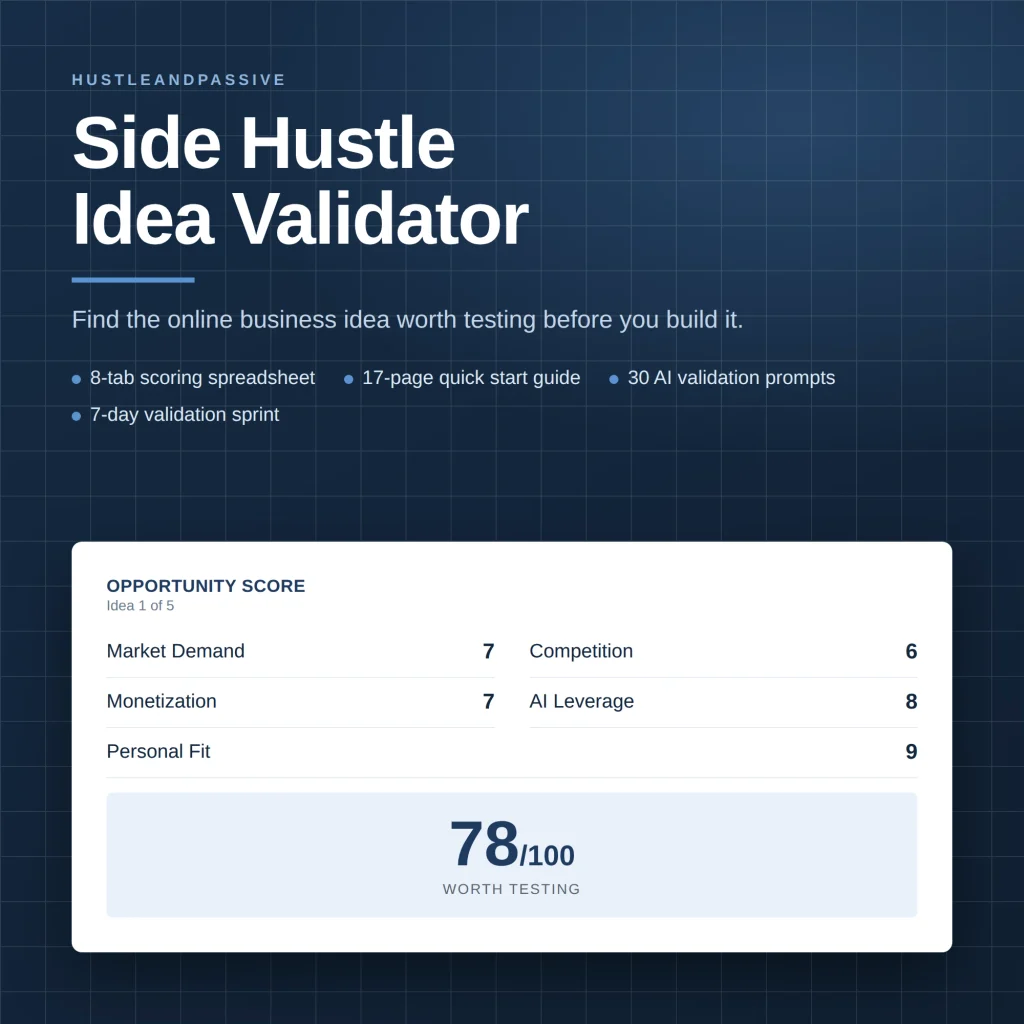
My Side Hustle Idea Validator is a spreadsheet that scores an idea on eight weighted criteria, including market demand, competition and startup cost, then gives you a build, modify or kill call. It won’t predict sales, but it shows which idea deserves your design time first.
For more on where AI tools fit into the creation side, see our beginner’s guide to AI tools.
2. Creating Templates That Stand Out From Thousands of Competitors
A handful of design fundamentals separate templates that convert from templates that don’t — and none of them require formal design training:
- Consistency: matching fonts, colors, and styling throughout a template reads as more professional and trustworthy than a mismatched one.
- White space: templates that feel cluttered tend to look cheaper, regardless of how good the individual elements are.
- Limited font pairing: sticking to two or three complementary fonts per template avoids the “amateur flyer” look that too many typefaces create.
- Color choices that match the audience: a finance or B2B template in navy and green reads differently than one in bright pink and purple – match the palette to who’s actually going to buy it.
A workflow that keeps this manageable: research what’s already selling in the category, outline every page/component the template needs, build the base layout, add customization options (color and font variants), have someone unfamiliar with Canva test how easy it is to customize, create realistic mockups showing the template in context, and package it with a short PDF instruction guide. Tools like Coolors.co for palettes, Unsplash and Pexels for stock photography, and a proofreading pass (Grammarly or similar) round out the process.
One practical rule of thumb from template sellers generally: aim for a balance between structure and flexibility. A template that’s too rigid feels limiting to the buyer; one with too many options feels overwhelming. Pre-formatted text boxes and a handful of ready-made color variants usually hit that balance.
3. Where to Sell Canva Templates: Etsy vs. Your Own Website vs. Marketplaces
Each platform trades off differently between built-in audience and control:
Etsy – built-in buyer traffic and established trust, which matters a lot for a brand-new shop. In exchange, sellers pay Etsy’s listing, transaction, and payment-processing fees ($0.20 per listing, 6.5% of the sale price and, for US sellers, 3% + $0.25 payment processing, so about $1.40 in fees on a $10 template), and the Canva template category is genuinely competitive.
Creative Market – a design-focused audience that’s generally more willing to pay premium prices, but the approval process for new sellers is stricter and growth tends to be slower to start.
Your own website (Shopify, or WooCommerce on a WordPress host such as Hostinger): full control over branding and pricing, no per-platform marketplace fees, and the ability to build an email list directly. The tradeoff is that you bring your own traffic; there’s no built-in discovery the way Etsy or Creative Market provide.
Start Your Online Store with Shopify
Turn your idea into a profitable online business with Shopify. Create a professional store, sell digital or physical products, manage payments, and grow your brand with powerful e-commerce tools trusted by millions of entrepreneurs.
Canva Creators program a ready-made audience inside Canva itself, but it works differently from a shop. You don’t set a price: Canva pays Template Creators royalties each time their templates are used, from a monthly royalty pool. Entry is by portfolio application, and Canva says an answer can take up to a couple of months.
If you’re still working out how to sell Canva templates for the first time, a common pattern among template sellers is to start on Etsy (or apply to the Canva Creators program) to get initial sales and reviews with minimal setup cost, then use that traction to justify building a standalone shop once there’s a proven customer base and, ideally, an email list to drive traffic to it directly.
For more on where to sell digital products broadly, see our guide on selling AI-generated products.
Selling Canva Templates on Etsy: The Short Version
On Etsy, you don’t upload the Canva design itself. You create a template link in Canva, put it inside a short PDF with instructions, and list that PDF as a digital download, so every buyer gets their own editable copy. On a $15 template, a US seller keeps about $13.13 after Etsy’s listing, transaction and payment processing fees.
For the full walkthrough, including the delivery PDF, listing setup, title and tag examples, Offsite Ads fees and pricing, see our step-by-step guide on how to sell Canva templates on Etsy.
4. Pricing Your Canva Templates
Pricing is one of the easiest places to leave money on the table when selling Canva templates, mostly because new sellers default to underpricing out of fear that nobody will buy otherwise. A few things worth testing rather than assuming:
- Higher isn’t automatically a harder sell. Buyers often associate a low price with low quality. Testing a modest price increase rather than defaulting to the cheapest price on the marketplace – is worth doing before assuming it will hurt conversion.
- Bundles change the math. A “good / better / best” structure (single template, small bundle, full collection) tends to nudge buyers toward the middle tier when it’s clearly positioned as the best value – a well-documented pattern in pricing psychology, not unique to Canva templates.
- Themed bundles targeted at a specific use case (a “coach starter pack,” a “wedding planner suite”) generally outperform a random assortment of templates grouped only by design style, because the buyer immediately sees the whole thing solves their specific problem.
- Frequent discounting can undercut perceived value. Running occasional, time-limited promotions (a launch discount, a seasonal sale) tends to preserve full-price sales better than being permanently “on sale.”
There’s no universal optimal price testing within your own shop, category, and audience is the only reliable way to find it.
5. Marketing Your Canva Templates
Knowing how to sell Canva templates is only half the job; buyers still have to find them. “If you build it, they will come” doesn’t hold for template shops any more than it does for any other product. A few channels that consistently show up in how successful template sellers describe their traffic:
- Pinterest is widely used by digital template and printable sellers as a discovery channel, since Pinterest functions more like a visual search engine than a social feed – pins have a long shelf life compared to a typical social post. Multiple pin variations per template, organized into focused boards, tend to outperform a single generic pin.
- Instagram, used to show the creation process, behind-the-scenes work, and real customer use cases, helps build trust that a static product photo alone doesn’t.
- YouTube tutorials showing how to customize a template can rank in search for “how to customize [type of] template” queries, while also demonstrating the product in action which tends to reduce refunds, since buyers know what they’re getting before they purchase.
- An email list lets you reach past buyers directly for new launches, rather than relying entirely on marketplace or social algorithms each time. A free plan on an email tool such as HubSpot is enough to start.

Own Your Buyer List
Marketplace traffic isn’t yours. It’s borrowed. HubSpot’s free CRM captures every buyer’s email from your own store so your next launch doesn’t start from zero.
For strategies on repurposing this kind of content across formats, our guide on AI tools for digital products covers some of the production side.
6. Setting Realistic Expectations
Selling Canva templates is a real, viable side income for plenty of people, but it’s not a fast or linear path, and treating it as one leads to disappointment. Income from a template shop typically builds slowly at first (validating what sells, building a catalog, getting initial reviews), and speeds up once there’s a proven catalog, some search/Pinterest visibility, and — usually the biggest lever — an email list of past buyers to sell new templates to directly.
Rather than aiming for a specific dollar figure by a specific month, it’s more useful to track your own numbers from day one: which templates sell, which don’t, where your traffic actually comes from, and what your real conversion rate is. That data your own, not anyone else’s is what should drive your next decisions.
If you’re getting started, the fastest way to learn how to sell Canva templates isn’t more planning: it’s picking one template idea, validating it against what’s already selling well in that category, building it, and listing it. What you learn from that one listing will tell you more than hours of research.
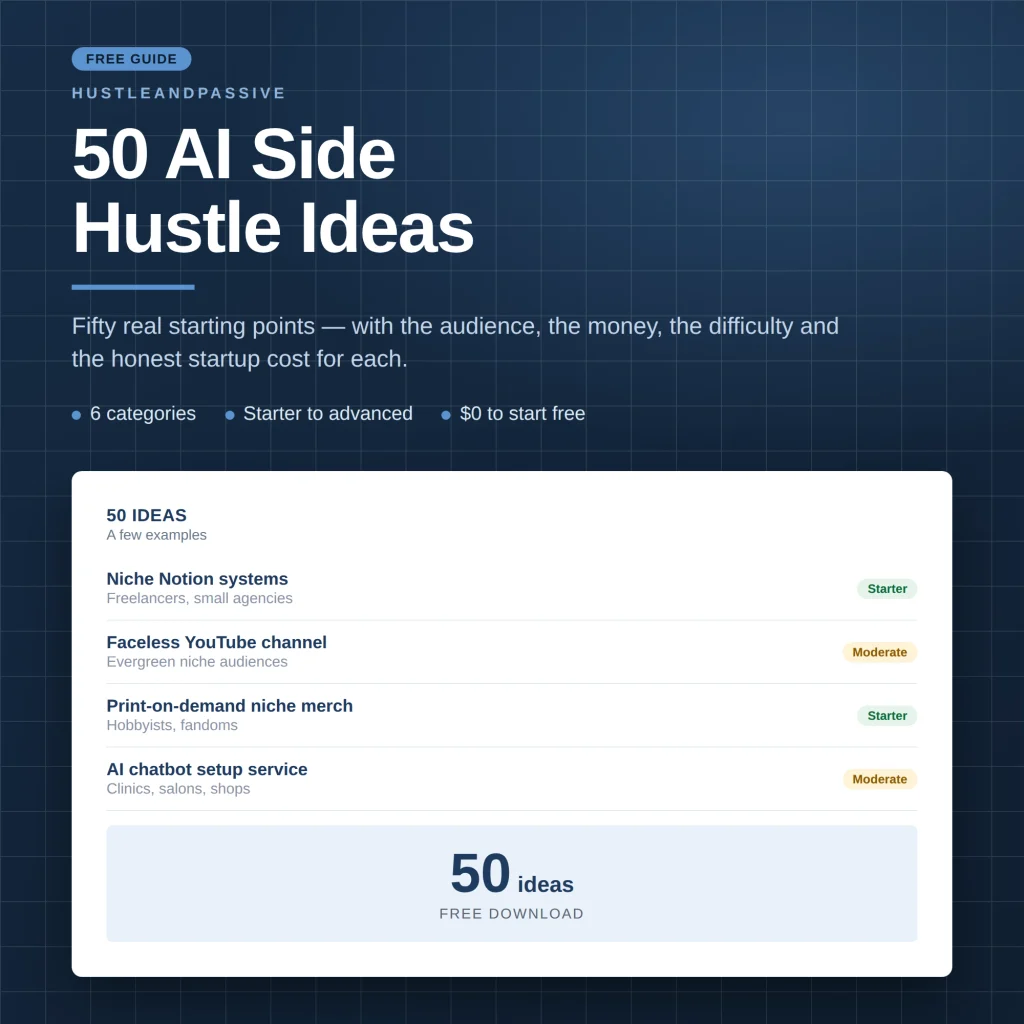
Canva templates are one option among many. My free 50 AI Side Hustle Ideas list covers fifty starting points across six categories, each with the audience, the money, the difficulty and the honest startup cost.
If you’re building this out, two guides help: making money with AI and a faceless AI side hustle.
Frequently Asked Questions
What Canva templates sell best?
Business templates such as proposals, invoices, presentations and social media content calendars tend to sell best, because businesses need them again and again. Digital planners and trackers sell year-round, with a spike every December and January. Social media bundles do well when they target a specific audience, such as real estate agents or wellness coaches, rather than everyone.
Can you sell Canva templates?
Yes. Canva allows you to sell original templates you design in it, as long as they are meant to be edited by the buyer. If a template uses Pro elements, you must deliver it as a Canva template link rather than a PDF or image file.
Is selling Canva templates profitable?
It can be a real side income, and the costs are low: on Etsy you pay $0.20 to list a template plus a share of each sale. Most shops start slowly, though. Profit comes from picking a specific niche, building a set of related templates and promoting them consistently.
Where can I sell Canva templates?
Etsy is the easiest place to start because buyers already search there. Creative Market suits premium design assets, your own shop (Shopify, Payhip or Gumroad) gives you control and lower fees, and the Canva Creators program pays royalties when templates are used inside Canva.
Can I sell templates made with a Canva for Education account?
Not with Pro content. Canva says education users may only use Pro content for educational, non-commercial purposes. To sell templates, create a separate team in your Canva account for commercial designs.
Do buyers need Canva Pro to use my template?
Not if you only use free elements; anyone with a free Canva account can open and edit it. If your template includes Pro elements, buyers on a free plan may be asked to upgrade to use them.
How much does Etsy charge to sell a Canva template?
For a US seller, Etsy charges $0.20 per listing, a 6.5% transaction fee and 3% + $0.25 payment processing. On a $10 template that comes to about $1.40, so you keep around $8.60.
How do I sell Canva templates on Etsy?
Create a template link in Canva, put it in a short PDF with editing instructions, then create an Etsy listing as a digital file and upload the PDF. Etsy allows up to five files of up to 20MB each per digital listing. Use mockups that show the finished result and disclose any AI use.

Writes and tests every guide on hustle&passive. Everything here is something we have actually run — including the parts that did not work.