Disclosure: Some links in this article are affiliate links. If you make a purchase through one of these links, we may earn a commission at no additional cost to you.
Where you sell an AI-generated product matters almost as much as the product itself. A prompt library can’t be listed as your own design on Etsy, yet sells without issue on Gumroad. A print-on-demand art style that flops on Redbubble finds a real audience on Society6. The platform decides who sees your work, what cut you keep, and, in 2026, what you’re legally required to disclose about how you made it.
This guide breaks down the nine platforms actually worth your time in 2026: current fees, current AI-disclosure rules, and which one fits what you’ve actually made, not a generic “best of” ranking.
Haven’t picked what to make yet? Start with my comparison of 9 ways to make money with AI, then use this guide to choose where to sell.
Where to Sell AI-Generated Products in 2026: Quick Answer
- Digital downloads (prompts, templates, ebooks): Etsy for built-in traffic, Gumroad for zero setup and your own audience.
- Physical AI art (apparel, wall art, home decor): Redbubble or Society6. No inventory, no upfront cost.
- Stock/licensing income (images used in other people’s projects): Adobe Stock.
- Full branded store: Shopify or Payhip once you have consistent volume.
- AI tools, agents, or SaaS products: AppSumo for a launch spike, your own site plus Gumroad for ongoing sales.
Free guide: 50 AI Side Hustle Ideas. Still choosing what to make and sell? Fifty starting points, each with the audience, the money, the difficulty and the real startup cost.
What Changed for AI Sellers in 2026
The biggest shift since this guide first ran isn’t a new platform. It’s disclosure. Every major marketplace now has a real position on AI-generated content, and “don’t ask, don’t tell” stopped being a safe strategy sometime this year.
Etsy reinforced its Creativity Standards: AI-assisted digital products are explicitly allowed, but seller-prompted AI creations belong in the “Designed by a seller” category, and Etsy requires you to disclose the use of AI. Skip it and you risk reduced search visibility or outright removal, not just a warning.
Adobe Stock requires contributors to check a “Created using generative AI tools” box on every AI submission. It’s built into the upload flow now, not something you can quietly skip.
Redbubble accepts AI-assisted designs, but its content guidelines don’t spell out a specific AI-disclosure rule. What it does enforce strictly is intellectual property: it won’t tolerate AI output that reproduces copyrighted characters or trademarks. That’s the single most common reason AI sellers get flagged there.
The EU AI Act adds a separate layer. From August 2, 2026, providers of AI image systems operating in the EU have to mark outputs in machine-readable format, and sellers using AI imagery that could pass as a real photo have to disclose that to EU buyers. If you sell into Europe at all, this applies no matter which marketplace you use.
None of this makes selling AI-generated products harder in practice. It just means disclosure is now a checklist item instead of a judgment call, and honestly, that’s good practice regardless of what any single platform requires. We cover the specifics for each platform below, and there’s a compliance checklist near the end.
Platform Comparison at a Glance
| Platform | Best For | Fees | AI Disclosure Required | Setup |
| Etsy | Printables, templates, wall art | $0.20 listing + 6.5% + payment processing | Yes | Easy |
| Gumroad | Direct sales to your own audience | 10% + $0.50/sale + card processing (30% via Discover) | No platform rule, but good practice | Easiest |
| Shopify | Full branded store | From $29/mo + 2.9% + $0.30 | No platform rule, but good practice | Moderate |
| Payhip | Branded store, EU/UK VAT handled for you | Free (5% fee) to $99/mo (0% fee) | No platform rule, but good practice | Easy |
| Creative Market | Design assets, fonts, graphics | 50% of list price by default (varies by shop) | No explicit AI policy check before listing | Easy |
| Adobe Stock | Licensing images for reuse | 33% royalty | Yes, mandatory tag on upload | Moderate (review process) |
| Redbubble | Print-on-demand art and merch | No upfront cost; you set your margin | No explicit rule, but disclose anyway | Easy |
| Society6 | Print-on-demand art and merch | No upfront cost; you set your margin | Not explicit follow POD norms below | Easy |
| AppSumo | AI tools, templates bundles, SaaS | Commission-based, application required | No explicit AI policy | Application/approval |
Fees and AI policies last checked on 23 September 2026 against each platform’s own pricing and help pages.
What You Actually Keep From a $20 Sale
Percentages are hard to compare, so here is what each platform takes from a single $20 digital download. Figures assume a US seller, standard card processing of about 2.9% + $0.30 where the platform charges it separately, and no Etsy offsite ad fee.
| Platform | Fees on one $20 sale | You keep | Monthly plan |
|---|---|---|---|
| Etsy | $0.20 listing + $1.30 (6.5%) + $0.85 processing = $2.35 | $17.65 | None |
| Gumroad (direct link) | $2.50 (10% + $0.50) + about $0.88 card processing = $3.38 | $16.62 | None |
| Gumroad (Discover sale) | $6.00 (30%) | $14.00 or less | None |
| Payhip Free | $1.00 (5%) + about $0.88 processing = $1.88 | $18.12 | None |
| Payhip Plus | $0.40 (2%) + about $0.88 processing = $1.28 | $18.72 | $29 |
| Shopify Basic | $0.88 (2.9% + $0.30) | $19.12 | $29 yearly or $39 monthly |
| Creative Market | $10.00 (50% default) | $10.00 | None |
Two things stand out. First, Etsy takes less of a $20 sale than Gumroad’s direct checkout once card fees are counted, because Gumroad’s fixed $0.50 hurts at low prices. Second, the monthly plans only pay off at volume: Shopify Basic beats Payhip’s free plan once you sell more than about $580 a month, and Payhip Plus beats Payhip Free above roughly $970 a month.
The 9 Best Platforms to Sell AI-Generated Products in 2026
1. Etsy
Still the default starting point for AI-generated digital downloads: printables, planners, templates and wall art. One exception: standalone AI prompt bundles can’t be listed as “designed by a seller” under Etsy’s creativity standards, so sell prompt packs on Gumroad instead. The built-in search traffic is the whole appeal. You’re not building an audience from zero.
Fees: $0.20 per listing, 6.5% transaction fee, plus payment processing (roughly 3% + $0.25, varies by country).
2026 note: AI-assisted listings need “Designed by seller” attribution and an in-description AI disclosure. This isn’t optional: listings that don’t meet Etsy’s creativity standards can be removed.
Pros: Massive built-in audience, low barrier to entry, works for both digital downloads and AI-designed physical products through Etsy’s print-on-demand integrations.
Cons: High competition in popular categories, and the fees genuinely add up once you’re moving real volume. Disclosure compliance also takes ongoing attention, not a one-time setup.
Best for: Sellers who want traffic on day one and don’t mind Etsy’s cut. See our full list of best products to sell on Etsy if you’re still deciding what to make.
2. Gumroad
The simplest way to sell AI-generated digital products directly: ebooks, prompt libraries, Notion templates, audio packs. No approval process, no monthly fee, live in minutes.
Fees: 10% + $0.50 per direct sale through your own link or site. Card and PayPal processing fees come on top. Sales through Gumroad’s Discover marketplace jump to a flat 30%. No subscription tiers at all.
Pros: Zero upfront cost, instant setup, handles global tax as merchant of record, works well alongside an existing email list or social following.
Cons: The highest per-sale cut of the direct-sale platforms here if you end up relying on Discover traffic. You’re bringing your own audience, not borrowing Etsy’s, so it’s a weaker fit if you don’t have one yet.
Best for: Anyone with an existing audience (newsletter, YouTube, social) who wants to sell directly without building a storefront.
3. Shopify
The right move once you have consistent sales and want full control over branding, pricing, and customer data. Not the place to start on day one.
Plans run $29 to $299 a month billed yearly ($39 to $399 month to month), plus 2.9% + $0.30 per online card transaction on the Basic plan (lower with Shopify Payments), and apps or premium themes add cost on top. What you get for that: complete control over how your store looks and works, room to scale as the product line grows, and an app ecosystem for automation and upsells that no marketplace offers. The trade-off is real, though. You pay every month whether you sell anything or not, setup takes longer than listing on Etsy, and there’s no built-in traffic. You have to drive every visitor yourself.
Start Your Online Store with Shopify
Turn your idea into a real business instead of just another marketplace listing. Full branding, your own customer list, and an app ecosystem that scales as your AI product line grows.
Best for: Sellers who’ve validated demand elsewhere (Etsy, Gumroad) and are ready to own the full customer relationship.
4. Payhip
A quieter alternative to Gumroad and Shopify, worth knowing about specifically if you sell into the EU or UK. Payhip handles VAT collection and remittance automatically on digital sales, which the others don’t do for you by default.
Pricing is dead simple: free with a 5% fee, $29/month with a 2% fee, or $99/month with no fee, and Stripe or PayPal processing applies on every tier regardless. There’s no approval wait, the store goes live instantly, and every tier gets the identical feature set, so you’re only paying to reduce the transaction cut, not to unlock anything new. The catch is you’re on your own for tax compliance outside the EU/UK, and the community around Payhip is smaller than Gumroad’s or Shopify’s.
Best for: EU-based sellers (worth knowing if you’re managing this from France, like we are) who want the VAT headache handled without a $99/month Shopify-level commitment.
5. Creative Market
A design-focused marketplace for fonts, templates, graphics, and mockups. A step up in audience quality from a general marketplace if your AI-generated products are genuinely design assets rather than finished consumer products.
By default Creative Market keeps 50% of the list price on each sale (the rate can vary by shop), which is steep, but the audience is actively looking for design assets and willing to pay more per item than a typical marketplace buyer. The approval bar is tougher than Etsy’s or Gumroad’s, and the total audience is smaller, so this tends to work better as a second platform than a first one.
Best for: AI-generated fonts, graphic elements, and templates. If you’re building Canva-based products specifically, our Canva template playbook covers Etsy, Canva’s own marketplace, and building a standalone shop in more depth.
6. Adobe Stock
The right home for AI-generated images meant to be licensed and reused in other people’s projects, not a marketplace for finished consumer products. Genuine passive licensing income, but only once you have volume.
Fees: 33% royalty on each standard license.
2026 note: Every AI submission requires checking “Created using generative AI tools” in the metadata panel before upload. It’s enforced at the point of submission, not something you can quietly skip.
Pros: Access to a professional buyer base inside Adobe Creative Cloud, a straightforward royalty-free licensing model, reasonably clear submission guidelines for AI content specifically.
Cons: Strict quality bar for approval, and one image rarely earns meaningful money on its own. This is a volume-and-patience game, not a quick win.
Best for: Creators building a large, well-tagged portfolio over time rather than launching a single product.
7. Redbubble
Print-on-demand for AI-generated art applied to apparel, wall art, phone cases, and home goods. No inventory, no upfront cost. Redbubble handles production and shipping. For the full numbers, including what you keep per shirt on Etsy, see our print on demand business guide.
Fees: No listing or subscription fee. You set your markup above Redbubble’s base price.
2026 note: AI-assisted designs are accepted, and while Redbubble’s guidelines don’t set a specific AI-disclosure rule, mentioning AI in the description is still good practice. Designs can’t reproduce copyrighted characters, logos, or real people. That’s the most common reason AI sellers get delisted here.
Pros: Zero financial risk to start, wide product range, minimal setup.
Cons: Thinner margins than owning your own store, real competition from other AI sellers in popular niches, limited brand control.
Best for: Testing whether an AI art style sells before investing in your own store.
8. Society6
Redbubble’s closest competitor: same print-on-demand model, a slightly different product mix (more home decor and art prints, fewer apparel options), and a buyer base that skews toward interior design and wall art specifically.
There’s no upfront cost. You set your artist margin above Society6’s base price and it handles production and shipping, the same deal as Redbubble. Margins run thinner than a branded store and customization is limited, but zero inventory management makes it an easy platform to run in parallel with Redbubble rather than instead of it. The same general AI-disclosure expectations apply here as across the rest of the print-on-demand category, so check current listing guidelines before a big upload batch.
Best for: AI art and pattern designs where wall art and home decor are the primary product.
9. AppSumo
The odd one out here, and worth including because it’s the actual answer for a category the old version of this guide ignored entirely: AI tools, prompt-engineering bundles, and small SaaS products built with AI. If what you’ve made is a tool rather than a design, this is the platform.
Fees: No upfront cost to apply. AppSumo takes a commission on sales, negotiated per listing rather than published as a fixed rate.
Pros: Access to a large, purchase-ready audience of entrepreneurs and small business owners, and real marketing support (product pages, email blasts, sometimes creator promotion) if your product gets accepted.
Cons: Application and approval required, and most submissions don’t make it through. One-time “lifetime deal” pricing also trains buyers to expect discounts going forward.
Best for: AI agent workflows, automation templates, and small tools rather than art, ebooks, or templates. If you’re earlier in the process, our digital products to create with AI guide covers what’s actually selling in this category right now.
Free: 50 AI Side Hustle Ideas – fifty starting points across six categories, each with the audience, the money, the difficulty and the honest startup cost, so you know what to sell before you pick where to sell it.
Where to Sell AI Art Online: Which Marketplaces Accept It
You can sell AI art online on Etsy, Redbubble, Society6 and Adobe Stock, but not every marketplace takes it. Shutterstock and Getty Images don’t accept AI-generated submissions from contributors, so check a site’s rules before you upload a whole collection.
| Marketplace | Accepts AI art? | The rule that matters |
|---|---|---|
| Etsy | Yes | List it as designed by you and disclose AI use in the listing, under Etsy’s creativity standards |
| Adobe Stock | Yes | Tick “Created using generative AI tools,” and don’t use artist names, real people or copyrighted characters in prompts, per Adobe’s AI content guidelines |
| Redbubble and Society6 | Yes, AI-assisted designs | Strict on intellectual property: no characters, brands or copied artwork |
| Shutterstock | No | Contributors can’t submit AI-generated content for licensing, per Shutterstock’s policy |
| Getty Images | No | Banned AI-generated submissions in 2022 over copyright concerns, as ARTnews reported |
How to make money selling AI art
The money in AI art rarely comes from single images. It comes from a clear style applied to products people already buy:
- Printable wall art in sets on Etsy, like a matching set of three botanical prints, sells better than one-off images.
- Designs on physical products through Redbubble or Society6 let you test which styles sell with no upfront cost.
- Stock licensing on Adobe Stock pays a royalty per license, so it only adds up with a large, well-tagged portfolio.
- Niche beats generic: “watercolor dog portraits for vet clinics” competes with far fewer sellers than “AI art.”
One rule applies everywhere: never prompt with a living artist’s name, a brand or a copyrighted character. It’s the fastest way to get listings removed, and on Adobe Stock it can close your account. Our guide to AI content legal rights covers ownership and copyright in more detail.
Can You Sell AI-Generated Websites and Apps?
Yes, but buyers pay for traffic and revenue, not for how the site was built. A brand-new AI-built site with no visitors usually sells for little more than its domain name. Once a site or app earns money, these are the main places to sell it:
- Flippa: the largest open marketplace for websites, apps and domains. Listing packages start at $29, plus a success fee when the sale closes.
- Empire Flippers: a vetted broker for established online businesses with a real profit history. Not the place for a new site.
- AppSumo (covered above): for AI tools and small SaaS products you want to keep running and sell as lifetime deals rather than sell outright.
If what you built is a reusable website template rather than a live site, sell the template itself on Creative Market, Gumroad or Etsy instead.
How to Choose the Right Platform for Your Product
The product you made determines the platform far more than any “best overall” ranking does.
If you’re selling prompts, templates, or ebooks, start on Etsy for the built-in search traffic, then add Gumroad the moment you have any audience of your own: an email list, a social following, even a small YouTube channel. You lose nothing by listing on both.
Made AI art meant for physical products? Redbubble and Society6 first, since there’s no financial risk either way. If a specific design or style starts consistently selling, that’s your signal to build a Shopify or Payhip store around it and keep more of the margin yourself.
Images meant for licensing rather than a finished product point almost entirely to Adobe Stock, and it’s a volume game. Expect to build a large, well-tagged portfolio before it earns anything meaningful.
Design assets like fonts, templates, and graphic elements tend to do better on Creative Market, where the audience is design-literate and willing to pay more per item than a general marketplace buyer.
AI tools, agents, or small SaaS products belong on AppSumo for a launch spike, with Gumroad or your own site picking up the ongoing tail once the promotion ends.
Already have consistent sales somewhere else? Move to Shopify for broad control and the biggest ecosystem, or Payhip if EU/UK VAT handling matters more to you, once marketplace fees start costing more than owning your own store would.
And if you’re not sure a market exists for what you’re making at all, check real search demand before you build anything. A keyword tool like Keysearch is a good fit for this. It’s the keyword research tool that shows you what people are actually typing into Google and Etsy, before you spend a weekend on a product nobody’s searching for.
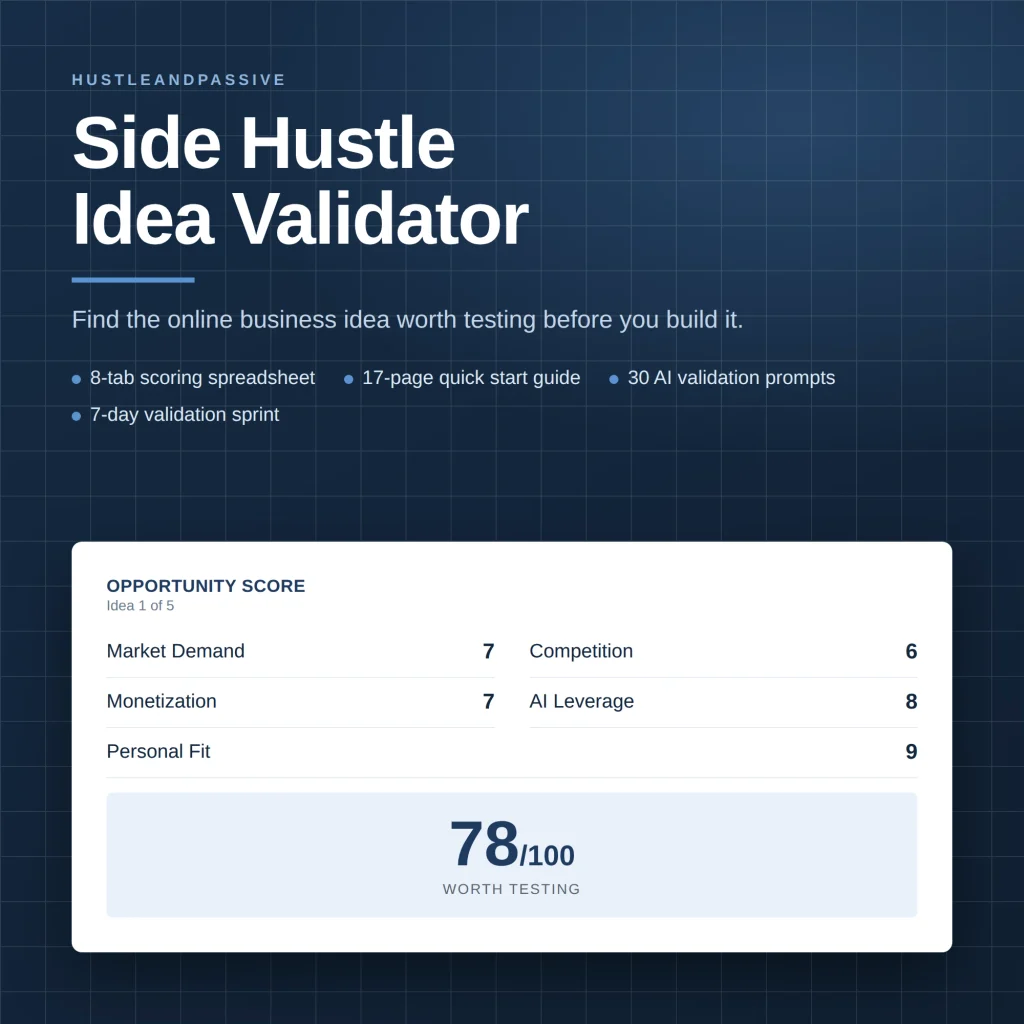
The Side Hustle Idea Validator scores your product idea on eight weighted criteria and tells you whether it’s worth building before you pick a platform.
Setting Up Your Own Store (Once You Outgrow the Marketplaces)
Every platform above takes a cut in exchange for traffic. That’s a fair trade at the start, but once a product proves itself on Etsy or Gumroad, moving pieces of your business onto infrastructure you actually own starts paying for itself.
Hosting
If you’re going the Shopify route, Shopify handles hosting for you. If you’d rather run a WordPress storefront instead (more control, lower long-term cost), Hostinger is what we use to run this entire site, including product landing pages and checkout.
Host Your Own Storefront for Under $2.99/Month
Skip the marketplace cut entirely. Hostinger runs everything from landing pages to checkout, fast enough to handle a launch spike without falling over.
Email & Customer Data
The biggest risk of selling only on marketplaces: you never own the customer relationship. If Etsy changes its algorithm or Gumroad’s Discover traffic dries up, you’re starting over. HubSpot‘s free CRM tier lets you capture buyer emails from your own store and follow up when you launch the next product, instead of hoping the same buyers find you again.

Own Your Buyer List
Marketplace traffic isn’t yours. It’s borrowed. HubSpot’s free CRM captures every buyer’s email from your own store so your next launch doesn’t start from zero.
Managing Outbound Links
Once your own site is live, you’ll likely be recommending other tools in your product pages or blog posts, like this one. ThirstyAffiliates cloaks and manages those links from one dashboard instead of hunting down every mention when a URL changes. Not a big deal with five links. A real problem once you have fifty scattered across your site.
Staying Compliant: The AI Disclosure Checklist
Every platform above has its own wording, but the underlying requirements overlap enough to check once per product:
- Disclose that AI was involved. Put it in the listing description, not buried in fine print. Etsy requires this explicitly, and Adobe Stock makes you tick an AI checkbox on upload; treat it as standard practice everywhere else too.
- Confirm commercial rights on your AI tool of choice. Some image generators restrict commercial use on their cheapest tier, so check before you list, not after a sale.
- Don’t generate anything resembling copyrighted characters, logos, or real people. This is the single most common reason AI listings get pulled across every platform in this guide.
- If you sell into the EU, know that the August 2, 2026 AI Act disclosure rule applies regardless of which marketplace you use. It’s a legal requirement layered on top of each platform’s own policy, not a replacement for it.
- Keep records of your prompts and process. If a platform or a buyer disputes originality, having your workflow documented is the difference between a quick resolution and a delisted product.
For the fuller legal picture on commercial licensing, trademark risk, and what “originality” actually means for AI output, see our AI content legal rights guide.
FAQ
Where should I sell AI-generated products in 2026?
It depends on what you made. Digital downloads like prompts and templates do best on Etsy or Gumroad. Physical AI art fits Redbubble or Society6. Images meant for licensing belong on Adobe Stock. See the quick answer above for the full breakdown by product type.
What are AI-generated products?
Items created using AI tools: digital art, music, writing, templates, and physical products like apparel or home decor produced from AI-generated designs.
Which platform has the lowest fees for selling AI-generated products?
For digital downloads, Payhip’s free plan (5% plus card processing) and a Shopify store you bring your own traffic to keep the most per sale. Among marketplaces, Etsy takes less of a $20 sale ($2.35) than Gumroad’s direct checkout (about $3.38), while Creative Market’s default 50% cut is the steepest. Redbubble and Society6 cost nothing upfront; you earn the margin you set.
Do I have to disclose that a product is AI-generated?
Increasingly, yes. Etsy requires seller-prompted AI creations to disclose AI use, and Adobe Stock makes you tag AI submissions at upload. Redbubble’s guidelines don’t spell out an AI rule, but disclosing is still the safe choice, and EU sales carry separate transparency rules from August 2026.
Can I sell physical AI-generated products?
Yes. Redbubble, Society6, Etsy, and Shopify (via print-on-demand integrations) all support physical products made from AI-generated designs.
Can you sell AI-generated websites?
Yes. Established sites with traffic and revenue sell on marketplaces like Flippa or through brokers like Empire Flippers; buyers pay for the income, not the AI. A new site with no visitors is usually worth little more than its domain, so build traffic first or sell the design as a template instead.
What’s the best platform if I haven’t decided what to make yet?
Start with our guide to digital products to create with AI to settle on a product first. The right platform depends entirely on what you’re selling.
Where can I sell AI-generated art?
Etsy, Redbubble, Society6 and Adobe Stock all accept AI art. Etsy requires you to disclose AI use, and Adobe Stock requires its generative AI checkbox. Shutterstock and Getty Images do not accept AI-generated submissions from contributors.
Does Shutterstock accept AI-generated images?
No. Shutterstock does not allow contributors to submit AI-generated content for licensing, because ownership of AI output cannot be assigned to one person. Adobe Stock is the main stock site that accepts it, with an AI label.
Related reading: my guide to free vs paid AI tools covers the next step.
Conclusion
There’s no single answer to where to sell AI-generated products in 2026. There’s only the best platform for what you specifically made. Etsy and Gumroad cover most digital downloads. Redbubble and Society6 remove the financial risk from physical AI art. Adobe Stock is a slow-build licensing play. Creative Market suits genuine design assets. AppSumo fits tools and agents. Shopify or Payhip make sense once you’re ready to own the customer relationship instead of renting someone else’s traffic.
Start on whichever platform matches what you actually made. Disclose the AI involvement from the first listing, not after someone flags it. And once a marketplace has proven the demand is real, move the business onto something you own.

Writes and tests every guide on hustle&passive. Everything here is something we have actually run — including the parts that did not work.