Disclosure: this post contains affiliate links. If you click through and sign up, I may earn a commission at no extra cost to you. Last updated: September 2026.
Most virtual assistant jobs for beginners don’t ask for a degree or a VA certificate. They ask for one thing: proof you’ll handle a busy owner’s inbox, calendar or customer messages without being chased. This guide shows how to become a virtual assistant with no experience, which tasks beginners can offer from day one, where to find your first clients, what beginners realistically earn, and a 30-day plan to land client number one.
Many beginners look for VA openings on paid job boards first; my FlexJobs review shows whether that fee is worth it.
Key Takeaways: Virtual Assistant for Beginners
- No experience is fine; no proof isn’t. Three practice samples replace a work history.
- Start with 2 or 3 simple services, like inbox management, scheduling and social media posting.
- Beginner rates are modest: Upwork puts the median VA rate on its platform at $13 an hour, with specialized VAs at $18 to $35.
- Your first client usually comes from people you know or a direct pitch, not from a job board.
- Never pay to get a VA job. Real clients don’t charge you for training or starter kits.
What Is a Virtual Assistant?
Before getting into how to become a virtual assistant with no experience, it helps to clarify exactly what a VA does.
A virtual assistant, often called a VA, is someone who provides administrative, technical, or creative assistance to clients from a remote location.
Think of a VA as a jack-of-all-trades who can do anything from managing emails and scheduling appointments to creating content or managing social media.
The key here is that everything is done virtually, which means location independence.
So is it really possible to become a virtual assistant with no experience? Yes, it is.
Many businesses, especially startups, are looking for help, and are willing to train someone who’s eager and hardworking.
Why Become a Virtual Assistant in 2026?
Small businesses and solo founders hire VAs for the tasks that eat their day: the inbox, the calendar, customer messages and simple admin. The work is competitive at entry level, so a clear service and a few samples matter more than a long resume.
The barrier to entry is genuinely low if you’re starting with no experience. You don’t need an advanced degree, fancy certifications, or a long list of connections to get started mainly a handful of basic skills, the willingness to put yourself out there, and some persistence while you build confidence.
Benefits of Becoming a Virtual Assistant
- Flexibility: work from anywhere and set your own hours.
- Diverse work: you can offer a variety of services like social media management, email handling, or data entry, so it’s rarely boring.
- Recurring work: most small businesses have admin tasks every week, so one good client can mean steady, ongoing work.
- Scalable income: as you gain more clients and experience, you can raise your rates and specialize to earn more.
Skills You Need to Start as a Virtual Assistant with No Experience
The truth is, you probably already have many of the skills needed. Here are some key ones that can help you land your first VA job.
1. Communication Skills
One of the most important skills is being able to communicate clearly. As a virtual assistant, you’ll be emailing clients, handling calls, and maybe even chatting with your client’s customers. Good communication builds trust.
- Tip: practice your email etiquette and make sure your messages are always clear and professional. If you’re nervous about this, a resource like Grammarly can help you polish up your writing.

2. Time Management
You’ll often be juggling multiple tasks, which makes time management crucial. Learning to manage your time effectively will make you stand out as a virtual assistant.
- Action step: use tools like Trello or Asana to stay organized. Even Google Calendar can be a lifesaver for tracking deadlines.
3. Basic Tech Skills
You don’t need to be a tech wizard, but you should feel comfortable using online tools anything from email platforms like Gmail to collaboration tools like Slack or Zoom.
- No experience needed: if you know how to work in Word and manage your emails, you’re already ahead. Many companies are happy to provide training for more specialized tools.
If you’re curious about the best tools to make your life as a virtual assistant easier, check out our guide to the best virtual assistant tools. It’ll give you a head start on understanding which tools are essential for success.
How to Get Started: Step-by-Step Guide
So, how exactly do you become a virtual assistant with no experience in 2026? Here’s the step-by-step process.
Step 1: Assess Your Skills and Strengths
Think about what you’re good at are you a good organizer? Comfortable with social media? A strong writer? Make a list of all the skills you possess, both hard and soft skills. You’ll likely be surprised at how many are transferable to VA work.
Step 2: Take a Short Course
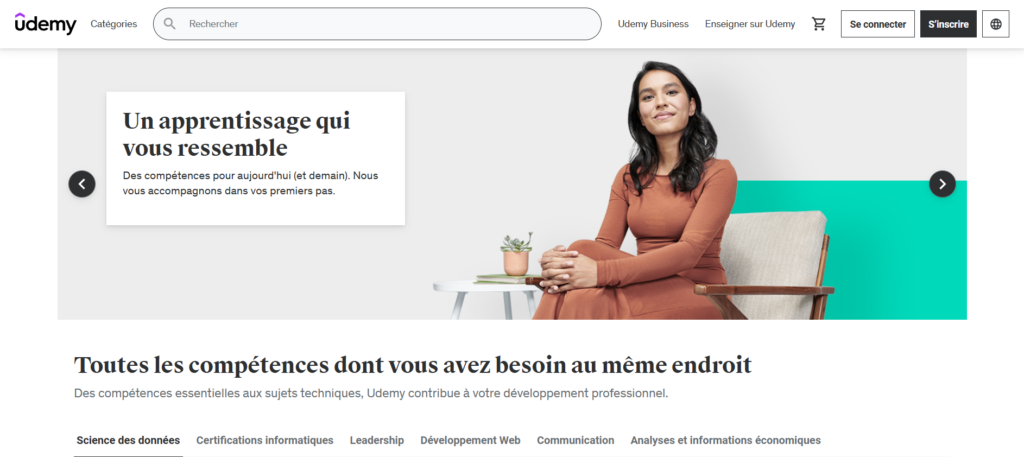
While experience isn’t required, taking a short virtual assistant course can give you an edge. Platforms like Udemy or Skillshare offer affordable courses covering the basics of being a VA.
- Suggested course: a beginner VA course on Udemy typically covers everything from tools to use to landing your first client.
Step 3: Set Up Your Online Presence
To become a virtual assistant with no experience, you need to look professional online. Set up a LinkedIn profile and, ideally, a basic website to showcase your services.
- Tip: a simple one-page site is enough: a free Wix site, or your own domain on a WordPress host such as Hostinger (from $2.99/month on a 48-month plan, including a free domain for the first year). Include key terms like “virtual assistant services,” “remote assistant,” and “hire a VA” to help clients find you.
Launch Your Website Today—Without Breaking the Bank
Get fast, secure, and beginner-friendly hosting with Hostinger. Set up your website in minutes and start building your online business today.
Step 4: Find Your First Client
Finding your first client is often the most nerve-wracking part and it does get easier with practice.
- Freelance platforms: set up profiles on Upwork, Fiverr, or Freelancer. Search “virtual assistant job” and “beginner virtual assistant” to find opportunities suited to little or no experience.
- Job boards: remote job boards like Remote.co or Indeed regularly post listings for beginner-level VAs.
The section on where to find virtual assistant jobs for beginners below compares each option.
Step 5: Pitch Your Services
Crafting a good pitch is an art confident but not pushy. Emphasizing eagerness to learn and a strong work ethic tends to land well with clients hiring their first VA.
Template example:
“Hi [Client Name],
My name is [Your Name], and I’m a detail-oriented virtual assistant eager to help with [specific task]. I may be new, but I’m passionate about providing great results and learning quickly. I’d love to help you streamline your business.
Looking forward to hearing from you!
Best,
[Your Name]”
Example Messages to Land Your First VA Client
The template above works for replies to job posts. For finding a first client when you have no experience, these three messages tend to work better because they are specific and offer something small first. Change the details in [brackets] every time; copy-paste messages get ignored.
1. To someone you already know (LinkedIn or email)
“Hi [Name], I’ve started offering virtual assistant support for small businesses: inbox cleanup, scheduling and simple social media posts. I remember you mentioned [a busy season / hiring]. If an extra pair of hands for 5 hours a week would help, I’d be glad to do a first week at a reduced rate so you can see if it’s useful. Would a 15-minute call on [day] work?”
2. Cold email to a local small business
“Hi [Name], I noticed [specific thing: your last Instagram post was in March / your booking page has no reminder emails]. I’m a virtual assistant who helps [type of business] keep that kind of task running without taking the owner’s time. I’ve put together a short example of how I’d handle it for you [link]. If it’s useful, I can take it on from [price] a month. Happy to answer any questions.”
3. Opening lines for an Upwork or Fiverr proposal
“You need [repeat the exact task from the job post] by [deadline]. Here’s how I’d do it: [2–3 concrete steps]. I’m newer to VA work, so I’ve attached a sample of a similar task I set up for practice [link]. I can start on [day].”
A 30-Day Plan to Become a Virtual Assistant With No Experience
Here is a realistic first month, assuming about an hour a day. The goal is not a full client list; it is one paying client and the setup to find the next ones.
Week 1: Pick your services
- List what you already do well (organizing, writing, spreadsheets, social media).
- Pick 2–3 services to offer, such as inbox management, calendar scheduling and simple social posts.
- Choose one type of client to start with, for example coaches, real estate agents or small online shops.
Week 2: Build your sample portfolio
- Create three practice samples that match your services (see the portfolio section below).
- Set up a LinkedIn profile that says exactly what you do and for whom.
- Put your samples and a short “services and prices” section on a one-page website.
Week 3: Reach out every day
- Send 5 personal messages a day using the templates above: 3 to people you know or local businesses, 2 to job posts.
- Create an Upwork or Fiverr profile and apply to small, clearly defined jobs.
- Track every message in a simple spreadsheet so you know who to follow up with. If you’d rather not build one, a free CRM like HubSpot tracks contacts and follow-up dates for you.
Week 4: Follow up and deliver
- Follow up once, politely, on every message from week 3 that got no reply.
- When you land a client, over-deliver on the first task and ask for a short testimonial.
- Write down what each task took you, so you can price the next client properly.
What to Put in a Beginner VA Portfolio
With no clients yet, your portfolio is made of practice work that shows how you think. Three pieces are enough:
- A process document: a one-page checklist for something like “how I clean up and label an inbox” or “how I schedule a week of meetings”. It shows you are organized.
- A sample deliverable: a week of social media posts designed in Canva, or a tidy spreadsheet of leads or products.
- A short case study: a before-and-after of a task you did for yourself, a friend or a volunteer group, with what you did and how long it took.
Put each piece on your website or in a shared Google Drive folder, and link to the most relevant one in every message you send.
Where to Find Virtual Assistant Jobs for Beginners
The best places to find virtual assistant jobs for beginners are the ones where trust already exists: people you know, local businesses and small clients on freelance platforms. Here’s a quick comparison. For all 12 channels with fees, requirements and pitch templates, see our full guide on where to find virtual assistant clients.
| Where | Best for | How to use it | Watch out for |
|---|---|---|---|
| People you already know | Your very first client | A personal message offering a short, reduced-price trial | Keep it professional: agree on tasks, hours and price in writing |
| Local small businesses | Steady monthly work | A specific pitch showing one task you’d take off their hands | Owners are busy; one polite follow-up is fine, three is not |
| Coaches, consultants and founders | A clear headline (“VA for real estate agents”) and posts showing your samples | Slow to start; treat it as a weekly habit | |
| Upwork | Small, clearly defined jobs | Short proposals that repeat the client’s task and your plan | Competitive; the platform takes a service fee from your earnings |
| Fiverr | Fixed-price mini services | One narrow gig, like “inbox cleanup in 48 hours” | Hard to stand out with a generic “I do everything” gig |
| Facebook VA and small business groups | Leads and referrals | Answer questions helpfully before offering your services | Many groups ban direct self-promotion; read the rules |
| Remote job boards (Indeed, Remote.co) | Part-time employed roles | Filter for entry-level and part-time admin roles | Many listings are full-time; scams also post here |
| VA agencies | Training and a steady workload | Apply once you have a few months of client work | Most prefer some experience, and they keep a share of the client’s rate |
If you’re looking for virtual assistant jobs that are remote with no experience required, the fastest path is usually a combination: one or two people you know, plus five direct pitches a day to local businesses. Platforms add volume later.
Beginner Virtual Assistant Tasks You Can Offer With No Experience
The easiest starting point for any virtual assistant for beginners is a task you already do in your own life, packaged for a business:
| Task | What it involves | Tools you’ll use |
|---|---|---|
| Inbox management | Sorting, labeling and drafting replies to routine emails | Gmail or Outlook |
| Calendar scheduling | Booking meetings, sending reminders, avoiding double bookings | Google Calendar, Calendly |
| Data entry and research | Updating spreadsheets, finding leads or suppliers | Google Sheets, Excel |
| Social media scheduling | Creating and scheduling simple posts | Canva, Buffer or Meta Business Suite |
| Customer messages | Answering routine questions and routing complex ones | Email, help desk tools |
| Basic bookkeeping support | Categorizing receipts and invoices for the bookkeeper | Spreadsheets, accounting software |
See our guide to the best virtual assistant tools for which free plans to start with.
How Much Can You Earn as a Virtual Assistant with No Experience?
When starting as a virtual assistant with no experience, rates tend to be on the lower end. Upwork’s hiring guide puts the median rate for virtual assistants on its platform at $13 an hour, with most charging between $10 and $20. The same guide says VAs with specialized skills typically charge $18–$35 an hour.
As you gain skills and become more efficient, moving up to $20–$30 an hour is realistic, particularly once you specialize in a niche rather than offering general admin support. For comparison, the US Bureau of Labor Statistics reports a median of $23.23 an hour for employed secretaries and administrative assistants in May 2025.
| Benchmark | Hourly rate | Source |
|---|---|---|
| Typical VA on Upwork | $10–$20 (median $13) | Upwork |
| Specialized freelance VA | $18–$35 | Upwork |
| Employed admin assistant (US median, May 2025) | $23.23 ($48,310/year) | US Bureau of Labor Statistics |
Remember that as a freelancer you pay your own taxes and have unpaid hours for admin and finding clients, so your hourly rate needs to be higher than an employee’s to earn the same.
High-Paying Niches for Virtual Assistants
Specializing in a high-demand niche is one of the more reliable ways to earn more. A few examples:
- Social media management: running Instagram, Facebook, or LinkedIn for small businesses.
- Bookkeeping: a knack for numbers can command a higher rate.
- Email marketing: helping clients with newsletters, email campaigns, and list management.
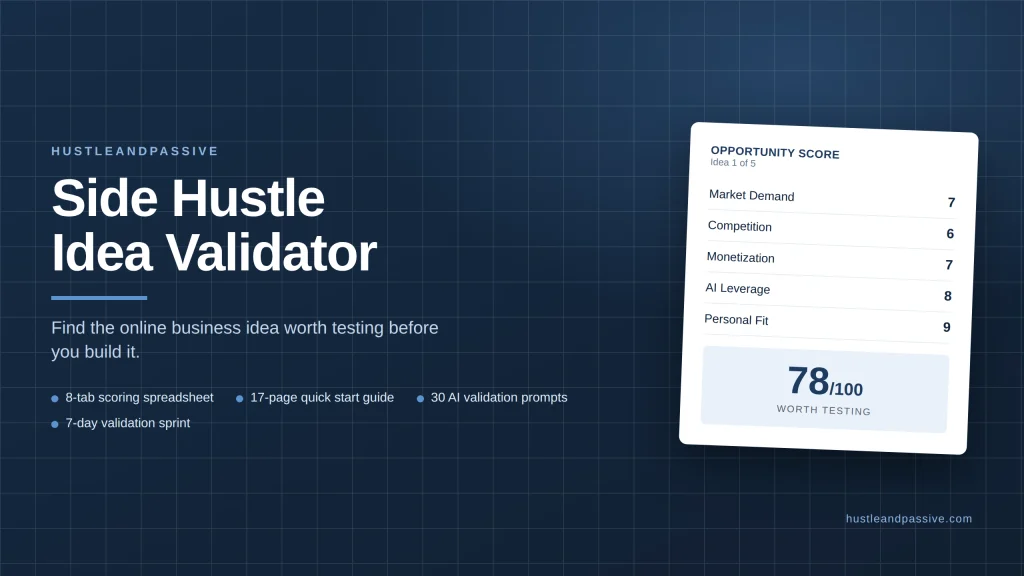
Generally, the more specialized the service, the more you can charge. If you are torn between niches, my Side Hustle Idea Validator ($9) scores each option on demand, competition, startup cost and personal fit so you can pick one to test first.
If you’re interested in other side gigs that can also provide quick income opportunities, check out our post on the gig economy jobs that pay instantly.
Tools That Make Your VA Job Easier
When figuring out how to become a virtual assistant with no experience, it helps to get familiar with the tools clients commonly use.
Must-Have Tools for Virtual Assistants
- Trello: task management and project tracking.
- Zoom: video calls and client meetings.
- Canva: creating social media graphics.
- Google Suite: Docs, Sheets, and Drive for collaboration.
- A USB headset: client calls sound far clearer through a noise-cancelling headset than through laptop speakers, and it’s the one piece of gear worth buying early.
Learning these tools is easier than it might seem, and plenty of free tutorials are available online. You can find more on essential VA tools in our detailed article on the best virtual assistant tools.
Common Challenges (and How to Overcome Them)
1. Feeling Underqualified
Many people starting out as a virtual assistant with no experience feel underqualified imposter syndrome is common when starting any new skill-based work. Every expert was once a beginner.
- Solution: start small. Take on one client and get comfortable before adding more. Confidence comes with practice.
2. Setting Boundaries with Clients
It’s tempting to overpromise when you’re new, which tends to lead to burnout if boundaries aren’t set from the start.
- Solution: be upfront about your availability and stick to your agreed hours.
3. Finding Clients Consistently
Finding consistent work can be challenging, especially as a beginner. Networking tends to be the key lever here.
- Solution: join Facebook groups for virtual assistants or remote workers, and stay active on LinkedIn. The more visible you are, the more opportunities tend to come your way.
If you’re a woman looking for other ways to increase your income while working online, don’t miss our roundup of the online side hustles for women.
How to Avoid Virtual Assistant Job Scams
“Virtual assistant, no experience needed” is a common hook for job scams. The FTC’s job scams guide lists the warning signs:
- You’re asked to pay for training, software, a certificate or a “starter kit” before you start.
- You’re sent a check and asked to buy equipment or send part of the money on to someone else.
- The pay is too good for the task, like hundreds a week for a few minutes of “data entry.”
- You’re asked to receive and reship packages, which is usually part of a stolen-goods scheme.
Research any company before you accept, and keep early payments on a platform like Upwork until you trust a client.
FAQ: Becoming a Virtual Assistant With No Experience
How long does it take to become a virtual assistant with no experience?
Most people can set up their services, samples and profiles in two to three weeks. Landing the first paying client usually takes a few more weeks of steady outreach; a realistic target is one client within your first one to two months.
How much do beginner virtual assistants earn?
Upwork reports a median of $13 an hour for virtual assistants on its platform, with most charging $10 to $20. Specialized VAs typically charge $18 to $35 an hour.
Do I need a certificate to become a virtual assistant?
No. Clients care more about clear communication, reliability and examples of your work than certificates. A short course can help you learn the tools, but it is optional.
What services should a beginner virtual assistant offer?
Pick two or three tasks you can already do well, such as inbox management, calendar scheduling, data entry or simple social media posts. Narrow services are easier to sell than general admin help.
Where can beginners find virtual assistant jobs?
Start with people you already know and local small businesses, where trust already exists, then add Upwork, Fiverr and LinkedIn. Remote job boards like Indeed list part-time admin roles too. VA agencies usually prefer a few months of experience first.
One more guide worth a look: starting a freelance writing career.
If you want to go deeper, my guide to Fiverr jobs is a good next read.
Wrapping It Up
Learning how to become a virtual assistant with no experience in 2026 is genuinely achievable. Start with small steps: assess your skills, take an affordable course, set up an online presence, and start pitching.
There’s a whole community of virtual assistants out there, and many started exactly where you are today.
The flexibility to work where you want, when you want, and for clients you actually like is a realistic outcome of this path not an overnight one, but a reachable one with a consistent action plan.
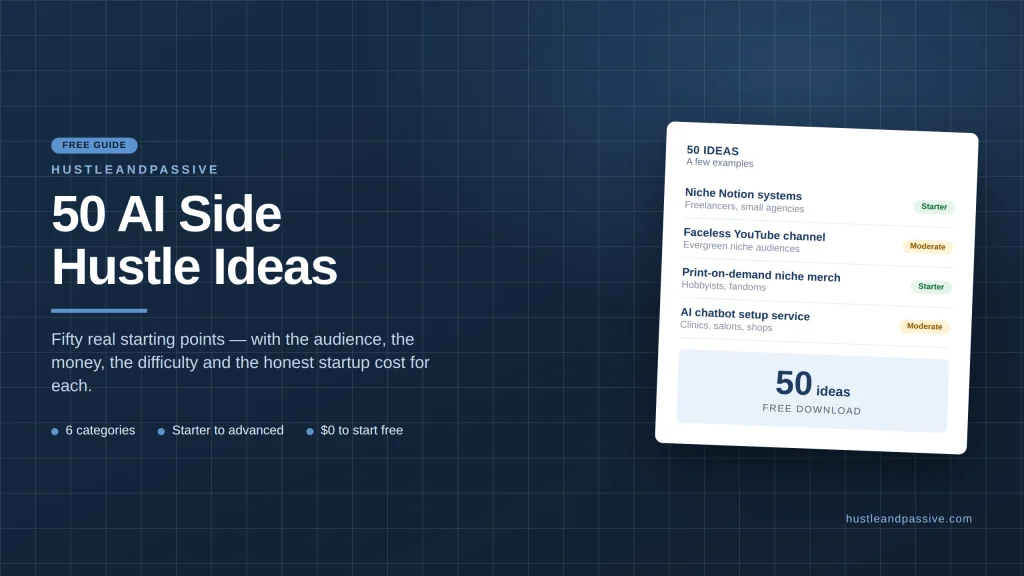
Not sure VA work is the right fit? My free 50 AI Side Hustle Ideas list gives you fifty other starting points, each with the audience, the money, the difficulty and the startup cost.
Related Articles
For more insights on freelancing and remote jobs, check out Remote.co or Indeed‘s Remote Work category both are solid resources for finding your first opportunities as a virtual assistant.

Writes and tests every guide on hustle&passive. Everything here is something we have actually run — including the parts that did not work.