Disclosure: some links in this guide are affiliate links, so I may earn a commission if you buy through them, at no extra cost to you. Last updated: October 2026.
How to Sell Canva Templates on Etsy in 2026
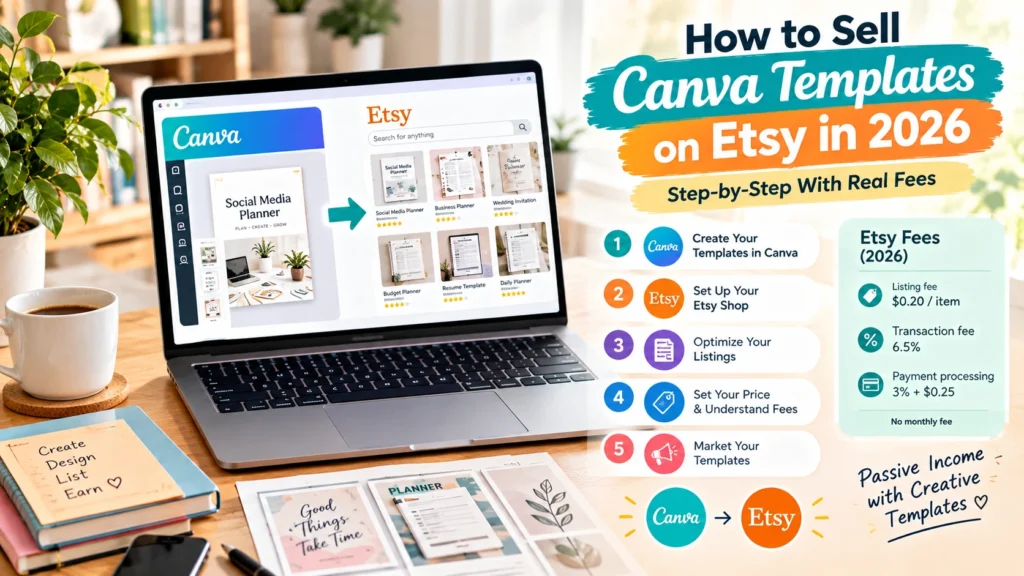
Learning how to sell Canva templates on Etsy comes down to one idea: you never upload the Canva design itself. You share a template link inside a simple PDF, list that PDF as an instant download, and every buyer gets their own editable copy. The rest is choosing a niche buyers search for, making listings that show the finished result, and pricing with Etsy’s fees in mind.
This guide walks through every step, from the template link to your first sale, with Etsy’s real fees on a $15 template. Fees and rules come from Etsy’s and Canva’s own help pages. For the bigger picture (what templates sell, licensing in detail and selling outside Etsy), see our main guide on how to sell Canva templates.
Key Takeaways
- You sell a link, not a file. Buyers download a PDF that contains your Canva template link and open their own copy.
- Starting costs are small: $0.20 per listing, plus a one-time shop setup fee in some countries. Canva’s free plan is enough to begin.
- On a $15 template, a US seller keeps about $13.13 after Etsy’s listing, transaction and payment processing fees, or less if the sale came from an Offsite Ad.
- Niche beats volume. “Instagram templates for real estate agents” competes with far fewer listings than “Instagram templates.”
- Follow two rules or risk your shop: Pro elements only through template links, and disclose AI if it helped make the design.
Before You Start: Canva’s License in 3 Rules
Selling Canva templates on Etsy is allowed, but only within Canva’s license. According to Canva’s help center on creating products for sale:
- Your template must be an original design that combines several elements and is meant to be edited by the buyer.
- Pro elements are only allowed in templates shared as Canva template links, never in a downloadable PDF or PNG of the design itself.
- You can’t sell Canva’s stock content on its own, such as a Canva illustration sold as clipart.
If your buyers may use a free Canva plan, build with free elements where you can, so nobody has to upgrade to use what they bought. Our main Canva guide covers the full licensing rules, including Canva for Education accounts.
How to Sell Canva Templates on Etsy: 9 Steps
Here’s how to sell Canva templates on Etsy, from a blank Canva page to a live listing.
Step 1: Pick a niche buyers already search for
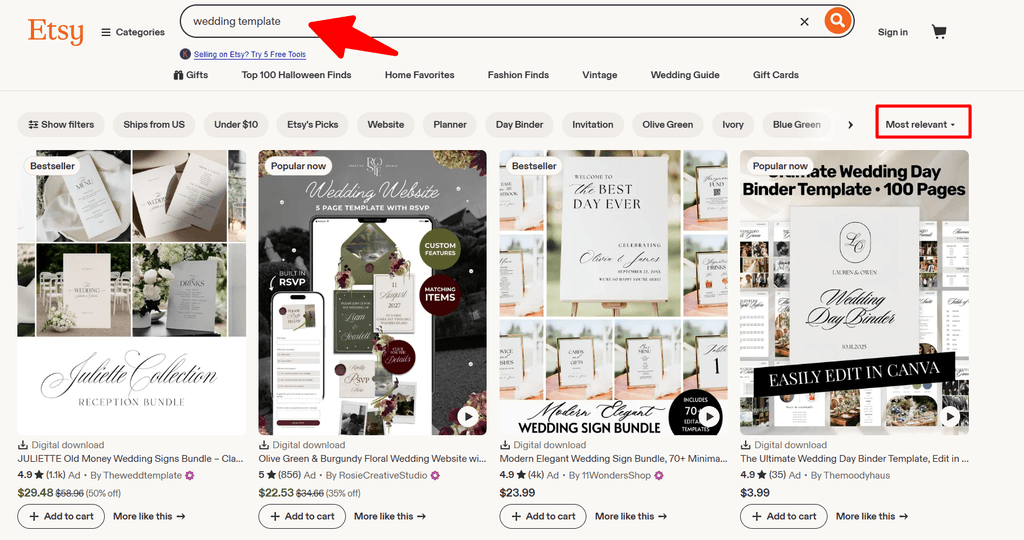
Start on Etsy itself. Type a broad idea like “wedding template” into Etsy’s search bar and note the suggestions that appear: those are real searches. Then open the top results and look at review counts, prices and how specific the listings are. You’re looking for a phrase with clear buyer intent where the top listings are good but not untouchable.
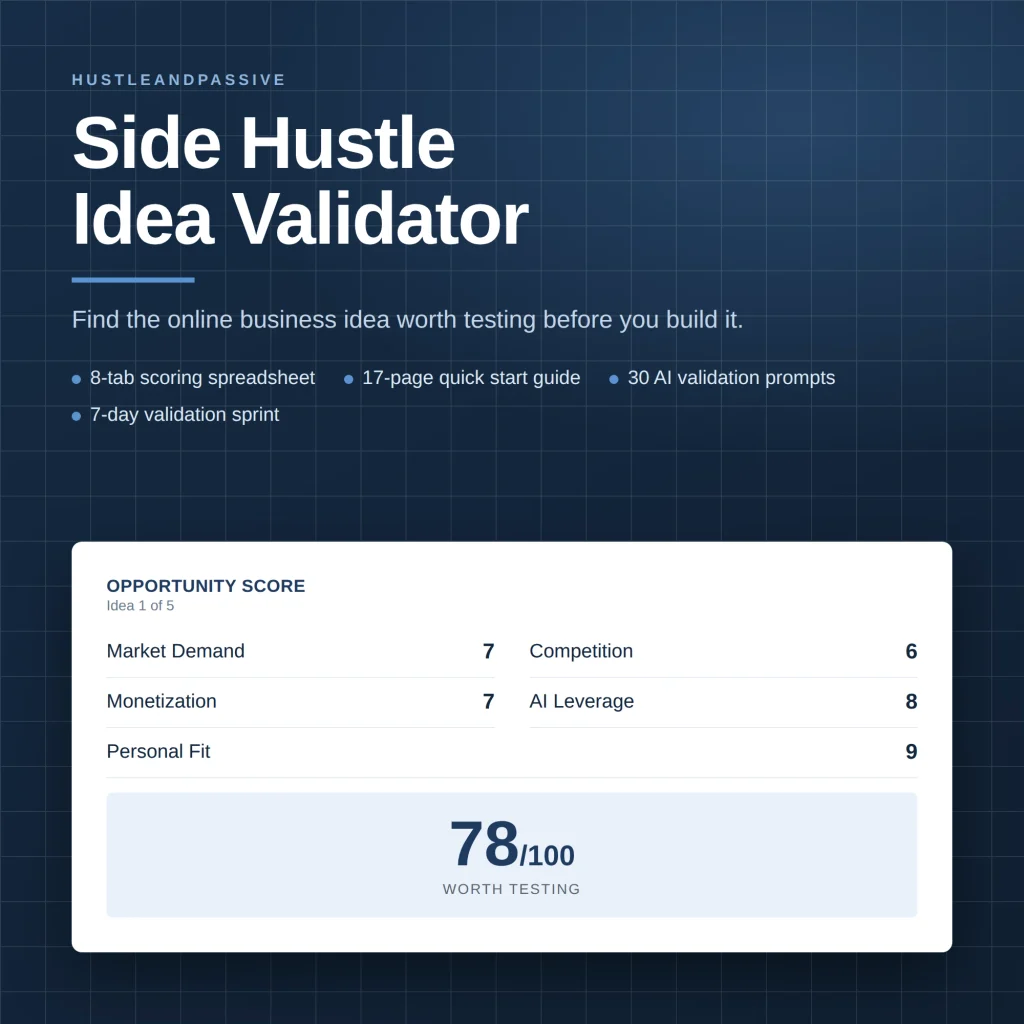
Torn between two or three niches? Our Side Hustle Idea Validator ($9) scores each idea on eight weighted criteria, including market demand, startup cost and personal fit, so you commit to the strongest one before designing ten templates for it.
Our Side Hustle Idea Validator ($9) is a spreadsheet that scores each idea on eight weighted criteria out of 100, so you commit to the strongest one before designing a single product.
Step 2: Design the template in Canva
Build a set rather than a single design: 10 to 20 matching Instagram posts, a 12-page planner, or a full wedding suite. Sets give buyers more value and give you better mockups. Use a consistent color palette and fonts, leave clear placeholder text (“Your headline here”), and lock background elements you don’t want buyers to move by accident.
Step 3: Create a template link, never an edit link
In Canva, open the Share menu and generate a template link. A template link gives each buyer their own copy while your original stays untouched. An edit link would let every buyer change your master design, so never share one.
Step 4: Build the delivery PDF
Etsy delivers a file, so you need a short PDF, usually one or two pages, made in Canva too. Include:
- The template link as a large, clickable button.
- Three or four steps: open the link, log in or create a free Canva account, click “Use template,” edit and download.
- A note on whether a free Canva account is enough, or if some elements need Canva Pro.
- How to contact you if the link doesn’t open.
Step 5: Open your Etsy shop
Create a seller account, choose a shop name that hints at your niche, and set up Etsy Payments with your bank details. Etsy’s fee policy says new sellers may have to pay a one-time shop setup fee during onboarding; the amount, if any, is shown when you sign up. Fill in your shop policies for digital items, including that downloads aren’t returnable but you’ll help with access problems.
Step 6: Create a digital listing
When you add a listing, set the type to “Digital files” and upload your PDF. According to Etsy’s help pages, a digital listing can hold up to five files of up to 20MB each, and digital listings can’t use variations, so each version (for example, “Canva” and “Canva plus PDF printable”) needs its own listing. Buyers get the files instantly after payment.
Step 7: Make mockups that show the finished result
Your first photo decides the click. Show the template in use, such as an Instagram post on a phone screen or a printed planner page on a desk, not a blank Canva canvas. Use the other photo slots to show what’s included (a grid of all designs), one image of the template being edited in Canva, and one explaining how delivery works.
Step 8: Write the title and 13 tags in the buyer’s words
Etsy lets you use up to 140 characters in a title and 13 tags of up to 20 characters each. Put the main phrase first, then specifics. For a real estate niche, that could look like this:
| Field | Example |
|---|---|
| Title | Real Estate Instagram Templates, Editable Canva Social Media Posts for Realtors, 20 Designs |
| Tags (examples) | realtor instagram, real estate posts, canva templates, realtor marketing, open house post, just listed template, agent social media |
Etsy’s search bar is free and shows what buyers type. If you also want search volume and competition for Google and Pinterest, Keysearch starts at $24 a month, enough to research a few niches and cancel.

Find Keywords That Actually Rank
Stop guessing what to write. KeySearch helps you discover low-competition keywords, analyze competitors, and create SEO content that drives long-term organic traffic.
Step 9: Disclose AI if you used it
If AI tools helped create any part of the design, such as illustrations or text, Etsy’s creativity standards ask you to say so in the listing description. Keep the core design your own work; templates made mostly from AI images are also the easiest for others to copy.
What You Keep From a $15 Canva Template on Etsy
Here’s what Etsy charges a US seller on a $15 digital template, based on Etsy’s fee policy:
| Line | Amount |
|---|---|
| Sale price | $15.00 |
| Listing fee | −$0.20 |
| Transaction fee (6.5%) | −$0.98 |
| Payment processing (3% + $0.25) | −$0.70 |
| You keep | About $13.13 (88%) |
| If the sale came from an Offsite Ad (15%) | −$2.25 more, leaving about $10.88 |
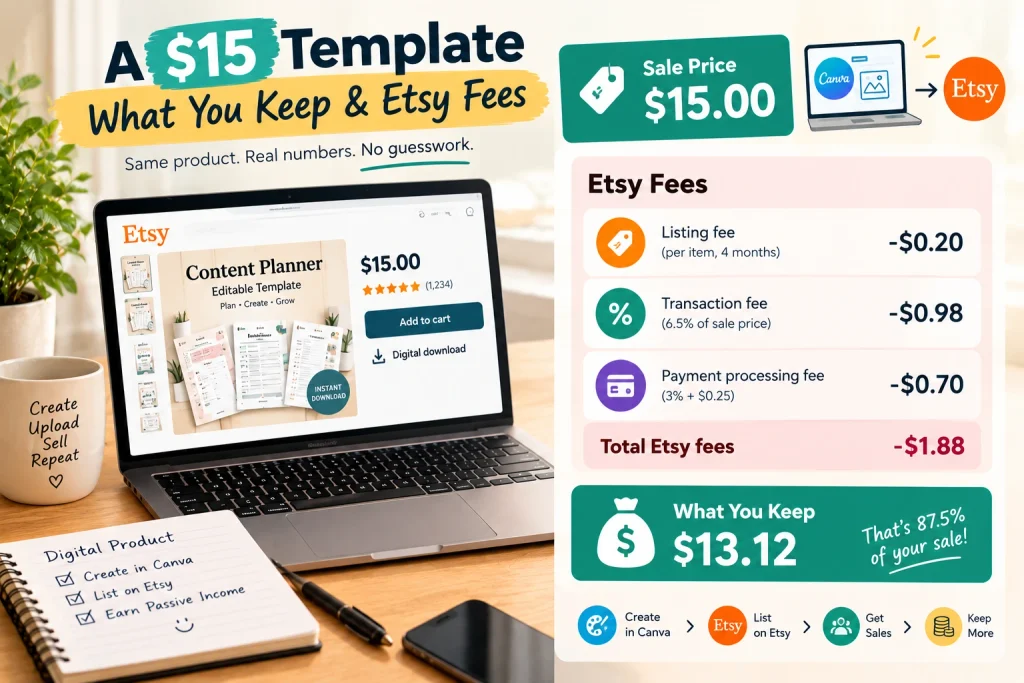
Offsite Ads are the fee new sellers forget. Etsy advertises listings on Google, social media and other sites, and when a sale comes from one of those ads, Etsy charges 15% for shops under $10,000 in yearly sales, or 12% above that, capped at $100 per order. Shops under $10,000 can opt out in their settings; shops above that threshold can’t.
How to Price Canva Templates on Etsy
Prices vary a lot by niche, so check what the top five listings for your main phrase charge before you decide. A simple way to structure your shop:
| Product | What’s included | How to position it |
|---|---|---|
| Single template | One design or a small set | Entry price, lets buyers try your style |
| Template bundle | 10 to 30 matching designs | Your main product, best value per design |
| Mega bundle | Several bundles in one niche | Highest price, for buyers who want everything |
Bundles usually work better than singles for templates, because the extra designs cost you little to make and give buyers a clear reason to pay more. Avoid racing to the bottom on price: a $3 template still pays the same $0.20 listing fee and $0.25 processing fee as a $15 one.
How to Get Your First Sales on Etsy
- List more than one product. A shop with 10 to 20 listings in one niche looks established and gives Etsy’s search more chances to show you.
- Renew and refine. Listings expire after four months; when you renew, update titles and tags on the ones that got views but no sales.
- Use Pinterest. People search it for planner and social media ideas, and each pin can link to a listing.
- Try Etsy Ads carefully. Set a small daily budget only once your listings have good photos and a few reviews, and stop ads on listings that get clicks but no sales.
- Ask for reviews. A short thank-you note in your PDF asking for a review helps your first listings build trust.
Beyond Etsy: Selling From Your Own Store
Etsy is the easiest place to start because buyers are already searching there. Once you know how to sell Canva templates on Etsy and have designs that sell, your own store lets you keep more per sale and build an email list. Payhip charges 5% on its free plan, and a Shopify store costs 3 days free, then $1 a month for 3 months, then $39 a month ($29 billed yearly), plus card fees. The catch is that you bring your own traffic, which is why most sellers keep Etsy running alongside. Our digital product ideas guide compares what you keep on each platform.
Start Your Online Store with Shopify
Turn your idea into a profitable online business with Shopify. Create a professional store, sell digital or physical products, manage payments, and grow your brand with powerful e-commerce tools trusted by millions of entrepreneurs.
Mistakes to Avoid
- Sharing an edit link instead of a template link. One buyer can change the master design for everyone.
- Putting Pro elements in a downloadable file. That breaks Canva’s license; Pro content is only allowed through template links.
- Choosing a generic niche. “Social media templates” puts you against thousands of listings; a specific audience puts you against dozens.
- Showing a blank canvas in your first photo. Buyers want to see the result, not the editor.
- Ignoring Offsite Ads in your pricing. A 15% fee on a low-priced template can wipe out most of your margin.
How to Sell Canva Templates on Etsy: FAQ
Is it allowed to sell Canva templates on Etsy?
Yes. Canva allows you to sell original templates you design, as long as you follow its license: share designs with Pro elements only as template links and don’t sell Canva’s stock content on its own. Etsy allows them as digital downloads.
Do buyers need Canva Pro to use my templates?
No, as long as you build with free elements. If your template includes Pro elements, buyers on a free plan may be asked to upgrade, so say clearly in the listing whether a free Canva account is enough.
How much does it cost to start selling Canva templates on Etsy?
Very little. Canva’s free plan is enough to design, Etsy charges $0.20 per listing, and some new sellers pay a one-time shop setup fee shown during signup. Twenty listings cost $4 in listing fees.
How long until the first sale?
It varies. Some shops sell within days, but many take weeks or months while listings build views and reviews. A focused niche, 10 or more listings and good first photos all help.
Do I need a business license to sell Canva templates on Etsy?
It depends on where you live. Many places don’t require one for a small online shop, but some cities and countries do, so check your local rules. In the US, the income is taxable, and you owe self-employment tax once your net earnings reach $400 in a year.
Not sure templates are your best fit? The free 50 AI Side Hustle Ideas list gives you more starting points, and our guides to the best products to sell on Etsy and starting a print on demand business cover other ways to sell on Etsy.
Start with one asset. The free 50 AI Side Hustle Ideas list gives you fifty to choose from.

Writes and tests every guide on hustle&passive. Everything here is something we have actually run — including the parts that did not work.