Some links on hustle&passive may be affiliate links. If you purchase through one of these links, we may earn a commission at no additional cost to you. Affiliate Disclosure
Last updated: November 2026. Plan details and commercial-use rules come from each company’s own pricing and terms pages; they change often, so check before you pay.
Most “AI tech stack” lists are written for software teams: machine-learning pipelines, cloud platforms and enterprise contracts. If you sell ebooks, templates, printables, courses or videos, you need something much smaller: one tool for each job, ideally on a free plan until the product earns.
This guide groups the AI tools digital product creators actually use by the job they do, notes which ones have a free plan, and flags the commercial-use rules that matter when you sell what they make.
The Short Answer: A Lean AI Creator Stack
- Writing and research: ChatGPT or Claude, for outlines, first drafts and editing.
- Design: Canva, to turn drafts into templates, printables and covers.
- Images: Adobe Firefly or Midjourney, when you need original artwork.
- Voice and video: ElevenLabs for narration, plus a simple editor like CapCut or Descript.
- Automation: Zapier or Make, once you repeat the same task every week.
- Selling and email: Gumroad, Payhip, Etsy or Shopify to sell, and Kit to email buyers.
You don’t need all of these on day one. Most creators start with an AI writer, Canva and one place to sell, and add the rest only when a product proves it sells.
AI Creator Tools Compared by Job
| Job | Tools | Free plan? | Commercial-use note |
|---|---|---|---|
| Writing and research | ChatGPT, Claude | Yes, with limits | OpenAI’s terms assign the output to you; similar outputs can go to other users |
| Design | Canva | Yes | Many AI features sit in paid plans; check the license for templates you resell |
| Images | Adobe Firefly, Midjourney | Firefly: limited free credits; Midjourney: paid only | Midjourney images are public unless you use Stealth mode, and companies earning over $1M a year need a Pro or Mega plan |
| Voice | ElevenLabs | Yes | The free plan can’t be used commercially and requires attribution |
| Automation | Zapier, Make | Yes | Free plans cap the number of tasks or operations per month |
| Selling | Gumroad, Payhip, Etsy, Shopify | Gumroad and Payhip: no monthly fee | Fees per sale differ; see the selling section below |
| Kit | Yes, up to 10,000 subscribers | Paid plans add automation features |
Writing and Research: ChatGPT or Claude
An AI writer is the core of most creator stacks. Use it to outline an ebook, draft product descriptions, turn a long guide into a checklist, or edit your own writing for clarity. Both ChatGPT and Claude have free plans that are enough to test a product idea, and paid plans for heavier use.
ChatGPT’s paid plans now include ChatGPT Work, an agent mode OpenAI launched in July 2026 that can work through a multi-step job, such as researching competitors and building a comparison spreadsheet, rather than answering one prompt at a time. Our guide to making money with ChatGPT shows how creators use it.
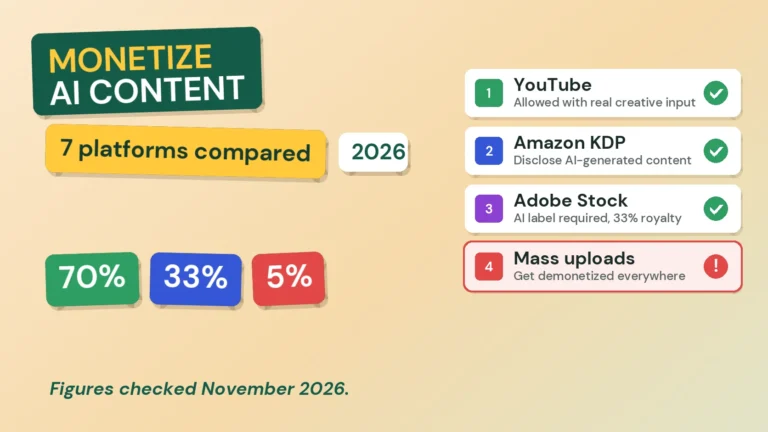
Whichever you choose, treat the output as a first draft. Buyers pay for your expertise and testing, and platforms like Amazon KDP ask you to disclose AI-generated text.
Design: Canva
Canva is where most AI drafts become sellable products: planners, worksheets, social templates, ebook layouts and covers. The free plan covers a lot, and its AI features (grouped as Magic Studio) are mostly in the paid plans.
If you sell Canva templates, read Canva’s license terms first: you can’t resell Canva’s own elements as standalone files. Our guide to selling Canva templates explains what’s allowed.
Images: Adobe Firefly or Midjourney
For original illustrations, covers or wall art, the two common choices work differently:
- Adobe Firefly is built into Adobe’s apps and is designed for commercial use; Adobe says it’s trained on licensed and public-domain content.
- Midjourney is known for striking artwork but has no free plan. Your images are public unless you pay for Stealth mode, and larger businesses need a higher plan.
Either way, avoid images that resemble famous characters, logos or real people. Our guide to AI content legal rights explains who owns AI images and what marketplaces require you to disclose.
Voice and Video: ElevenLabs and a Simple Editor
For audiobook-style narration, course voice-overs or faceless videos, ElevenLabs is the best-known AI voice tool. Use a paid plan for anything you sell, because the free plan doesn’t allow commercial use.
To cut the video itself, a beginner-friendly editor like CapCut or Descript is enough. If you’re building a channel, our faceless AI side hustle guide covers the rest of the setup, and YouTube asks you to label realistic synthetic content.
Automation: Zapier or Make
Automation tools connect your apps so routine work happens on its own: a new Gumroad sale adds the buyer to your email list, or a form entry creates a row in a spreadsheet. Both Zapier and Make have free plans with a monthly limit on tasks. Add automation once you notice yourself repeating the same steps every week, not before.
Selling and Email: Where the Money Comes In
This is the part of the stack that actually earns, so compare fees carefully:
| Platform | What it costs | Best for |
|---|---|---|
| Gumroad | 10% + $0.50 per direct sale, no monthly fee | Selling your first digital products quickly |
| Payhip | Free plan with a 5% transaction fee | Low fees without a monthly plan |
| Etsy | $0.20 per listing + 6.5% transaction fee + payment processing | Printables and templates, with built-in shoppers |
| Shopify | $39 a month, or $29 billed yearly | A branded store with your own customer list |
If you want your own branded store, Shopify handles checkout and file delivery through a digital downloads app. Our guide to where to sell AI-generated products compares more platforms and their AI rules.
Add an email tool from day one, so buyers can hear about your next product. Kit’s free plan covers up to 10,000 subscribers. And if you want your own site for a portfolio or blog, a host like Hostinger starts at $2.99 a month on a 48-month plan.
Three Starter Stacks by Budget
| Budget | Stack | Good for |
|---|---|---|
| Free plans only | ChatGPT or Claude (free), Canva (free), Gumroad or Payhip, Kit (free) | Testing your first template, checklist or ebook |
| One paid AI tool | A paid AI writer, Canva (free or paid), Etsy or Gumroad, Kit (free) | Publishing products regularly |
| A growing product line | Paid AI writer, Canva paid plan, Firefly or Midjourney, ElevenLabs paid, Zapier, Shopify or your own site | Several products, courses or a video channel |
Common Mistakes When Building an AI Creator Stack
- Paying for tools before you have a product. Free plans are enough to test whether anyone buys.
- Using free plans for commercial work when the terms don’t allow it, as with ElevenLabs.
- Skipping disclosure. Amazon KDP and Etsy both ask about AI use.
- Adding automation too early. Automate a process only once you’ve done it by hand a few times.
- Copying what AI gives you. Generic AI products are everywhere; your experience and editing are what make one sell.
AI Creator Tech Stack FAQ
What tools do AI product creators use?
Most use an AI writer such as ChatGPT or Claude, Canva for design, an image tool such as Adobe Firefly or Midjourney when they need artwork, and a platform to sell on, such as Gumroad, Payhip, Etsy or Shopify. Voice tools like ElevenLabs and automation tools like Zapier come later.
Can I start an AI product business with free tools?
Yes. Free plans of ChatGPT or Claude, Canva and Kit, plus a no-monthly-fee platform like Gumroad or Payhip, are enough to make and sell a first digital product. Check each tool’s terms, because some free plans, such as ElevenLabs’, don’t allow commercial use.
Do I own what AI tools create for me?
Most major tools assign their rights in the output to you, but in the US purely AI-generated content isn’t protected by copyright. Your own text, edits and arrangement can be. Our AI content legal rights guide explains the details.
Which AI image tool is safest for commercial use?
Adobe Firefly is designed for commercial use and, according to Adobe, is trained on licensed and public-domain content. Whatever tool you use, avoid images that resemble famous characters, brands or real people.
Your Next Step
Pick one product you could finish this month, and build only the stack it needs: an AI writer, Canva and one place to sell. Once it sells, add the next tool. For product ideas, see our list of digital products to create with AI, and for the bigger picture, how to make money with AI.

I am a geotechnical engineer and I write every guide on hustle&passive. I check pay, fees and rules on official pages, and when I have not tried something myself, I say so and cite my sources.